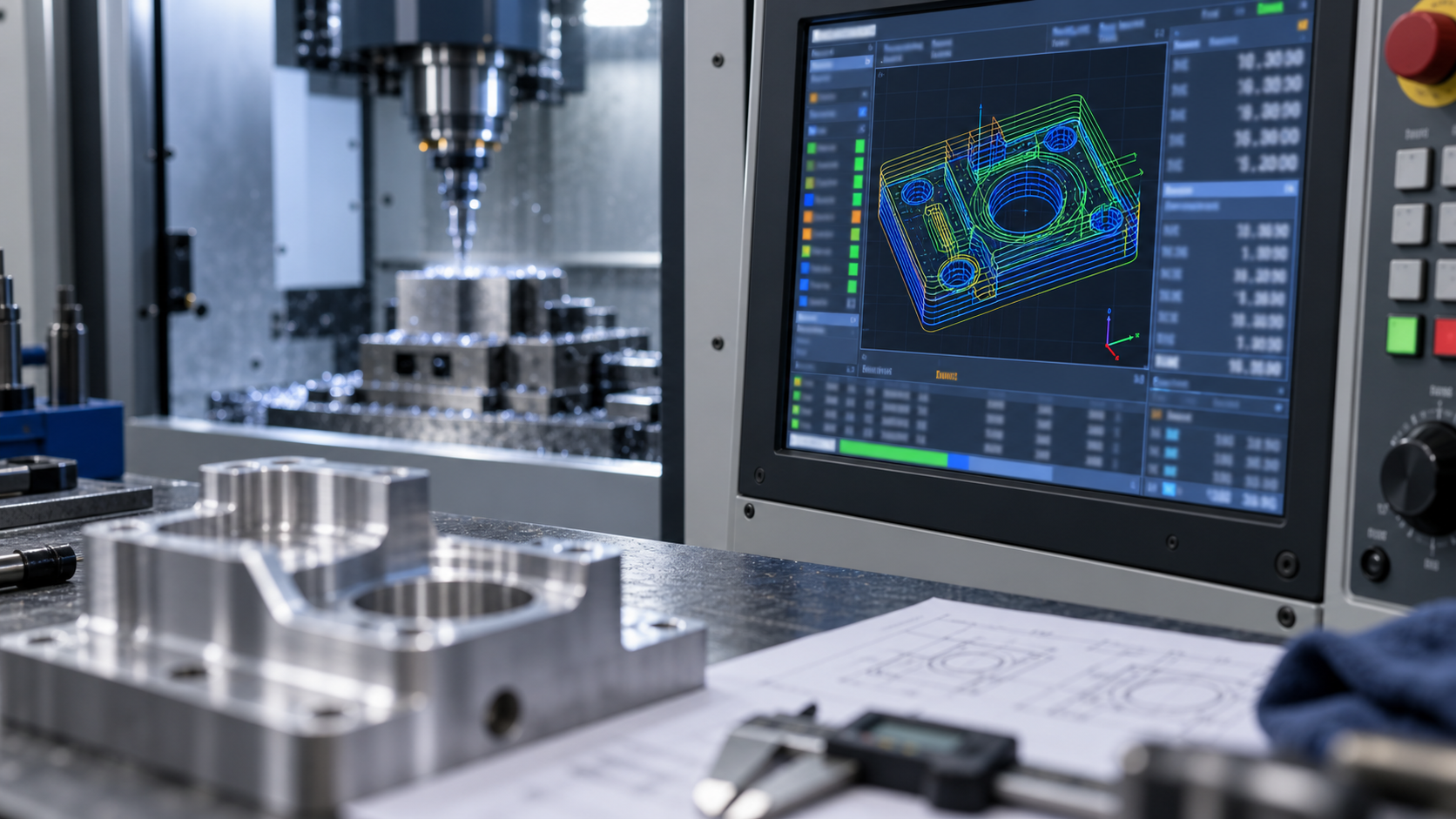
When a drawing enters the shop, why do programming methods differ?
When the same part drawing is sent to the shop, three handling methods often appear: an experienced master directly hand-writes a few G-code blocks on the machine control panel, a programmer uses CAM software to generate toolpaths and output them through post-processing, and someone else takes an existing program and first modifies the post-processor before running it on the machine. The root of the divergence is that "CNC programming language" is not a single language, but a layered toolchain—the bottom layer is the G-code that the machine can execute, the middle layer is macro programs and parameterized logic, and the top layer is CAM toolpaths and post-processor configuration. Each layer solves a different problem; choosing the wrong layer will make simple jobs complex, or make complex jobs dangerous.
The judgment logic can follow three dimensions: part complexity determines whether CAM intervention is needed; batch size and number of variants determine whether it is worth investing in macro programs or parameterized templates; maintainability determines who the code is written for—the operator on the current shift, or the person taking over three months later. This article breaks this down layer by layer along this thread to help you make practical choices for specific parts, rather than vaguely saying "hand-written or software."
G-Code: The Low-Level Language the Machine Tool Actually Executes
Regardless of whether the front end uses CAM, macro programs, or hand-writing, what is ultimately sent to the machine controller is a segment of G-code. It consists of several blocks, each usually containing fields such as preparatory functions (G commands), auxiliary functions (M commands), coordinate words (X/Y/Z, etc.), feed (F), and spindle speed (S). The controller interprets the blocks in order and drives the servo axes, spindle, coolant, tool change, and other actions. Understanding this layer is equivalent to mastering the common language for on-site troubleshooting.
Coordinate Systems and Motion Commands: The Basis for Positioning
Coordinates in G-code do not appear out of thin air; they depend on the machine coordinate system, workpiece coordinate system, and tool length compensation being defined together. Rapid positioning, linear interpolation, and circular interpolation correspond to different motion modes, and arcs also require plane selection and radius or center parameters. Setting the workpiece zero point incorrectly or calling the wrong compensation number will shift the entire toolpath—such problems may not be exposed in simulation, but will directly manifest as overcutting or tool collision on the first part.
Feed, Spindle, and Auxiliary Functions: The Carriers of Cutting Conditions
Feed rate, spindle speed, coolant on/off, tool change, and program stop are controlled by F, S, and M commands respectively. They determine whether cutting is stable: if feed and speed do not match, at best surface quality decreases and tool wear accelerates; at worst, edge chipping or chatter occurs. M commands are also responsible for safety actions such as program end and spindle stop; writing the sequence incorrectly may cause the machine to continue moving in the wrong state.
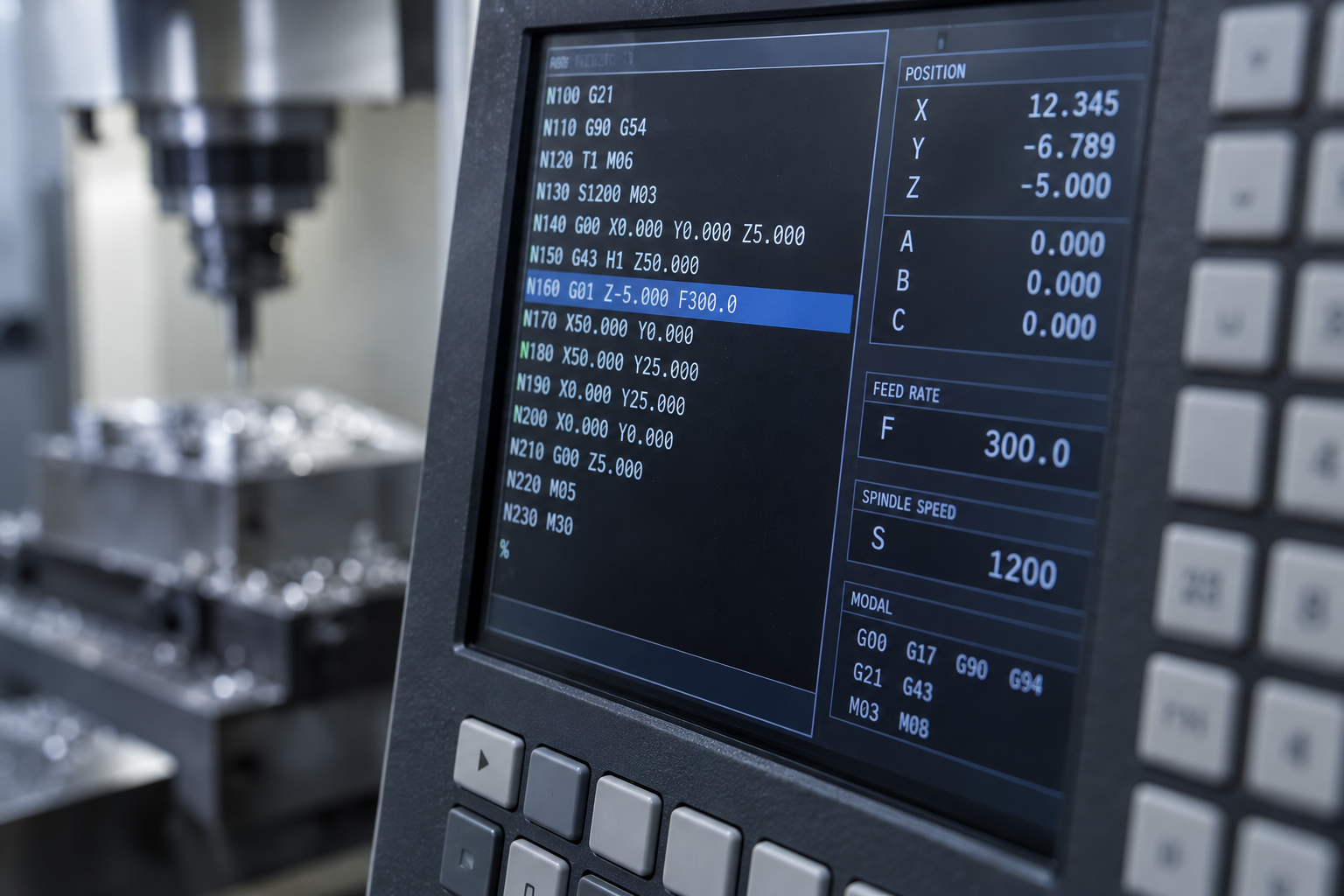
For engineers, the value of being able to read G-code lies in three things: quickly determining during an on-site alarm whether it is a program block problem or a machine state problem; fine-tuning safety height, retract paths, or pause points without rerunning CAM; and verifying critical blocks before running on the machine using dry run and single-block execution. These actions do not replace simulation, but they can stop costly errors at the last meter. When you need to confirm the boundaries of specific machining capabilities, refer to CNC machining capabilities.
Macro Programs and Parametric Programming: When They Are Worth Using
Macro programs (variable programming) write dimensions, loop counts, and tool compensation logic as assignable variables, rather than hard-coding every coordinate block. The core problem they solve is the same type of part appearing repeatedly, but with changing dimensions or feature counts. There are three typical scenarios: series parts (same structure, different lengths/hole diameters), fixed cycles (drilling arrays, cavity layering), and family parts (flanges, fittings, brackets).
To judge whether macro programs are worth using, go through this checklist:
1) Is the batch large enough, or are the variants numerous enough, that writing once can cover multiple calls;
2) Do the parts share geometric logic, with only parameters differing;
3) Do on-site operators have the ability to read variables, change parameters, and perform first-part verification;
4) Is there version management to avoid "changing one place and breaking a whole area."
Compared with hand-written G-code, macro programs require higher upfront investment, but readability and maintainability depend on naming and comments. If variable names use bare numbers like #1, #2, even the author will have to re-derive them three months later; only meaningful comments and grouping can make later users dare to modify them. Error risk is also concentrated at parameter boundaries: incorrect variable assignment or reversed loop conditions often do not trigger an alarm, but directly cause overcutting or tool collision. Therefore, before putting macro programs into production, it is recommended to verify parameter combinations in simulation or dry run first, then proceed to first-part trial cutting. When batches are small and variants are few, hand-writing or directly outputting programs from CAM is usually easier.
CAM Programming and Post-Processing: The Last Step from Toolpath to Machine Tool
CAM solves "how to move the tool," while post-processing solves "whether the machine can understand it." Many on-site problems are not caused by incorrect toolpath calculation, but by the post-processor translating the toolpath into an instruction format that the target system does not recognize. CAM outputs neutral toolpath data, and the post-processor then converts it into G-code executable by a specific CNC system. Changing machines, changing systems, or upgrading controller versions can all cause programs that previously ran to produce alarms or abnormal actions.
Post-Processing Is Not Permanently Valid Once Configured
Post-processor files are usually bound to the machine's motion structure, control system, and commonly used cycle formats. After the same machine changes spindle attachments, adds a fourth axis, or upgrades control system software, the original arc output method, tool change commands, and coolant commands may all need to be rechecked. It is recommended to include post-processor changes in version management and record the machine and system corresponding to each modification, to avoid the situation where "it worked last time but not this time" with no way to find the cause.
Simulation and First-Part Trial Cutting Cannot Be Skipped
Software simulation can detect toolpath collisions, overcutting, and air moves, but it cannot completely replace first-part trial cutting. Fixture models, blank allowance, and actual clamping states in simulation often deviate from reality. A safe approach is: first simulate to confirm toolpath logic, then verify critical actions using single-block, reduced feed, or raised-tool dry runs, and only then proceed to normal cutting. After the first part is confirmed, batch execution can significantly reduce the risk of tool collision and batch scrapping.
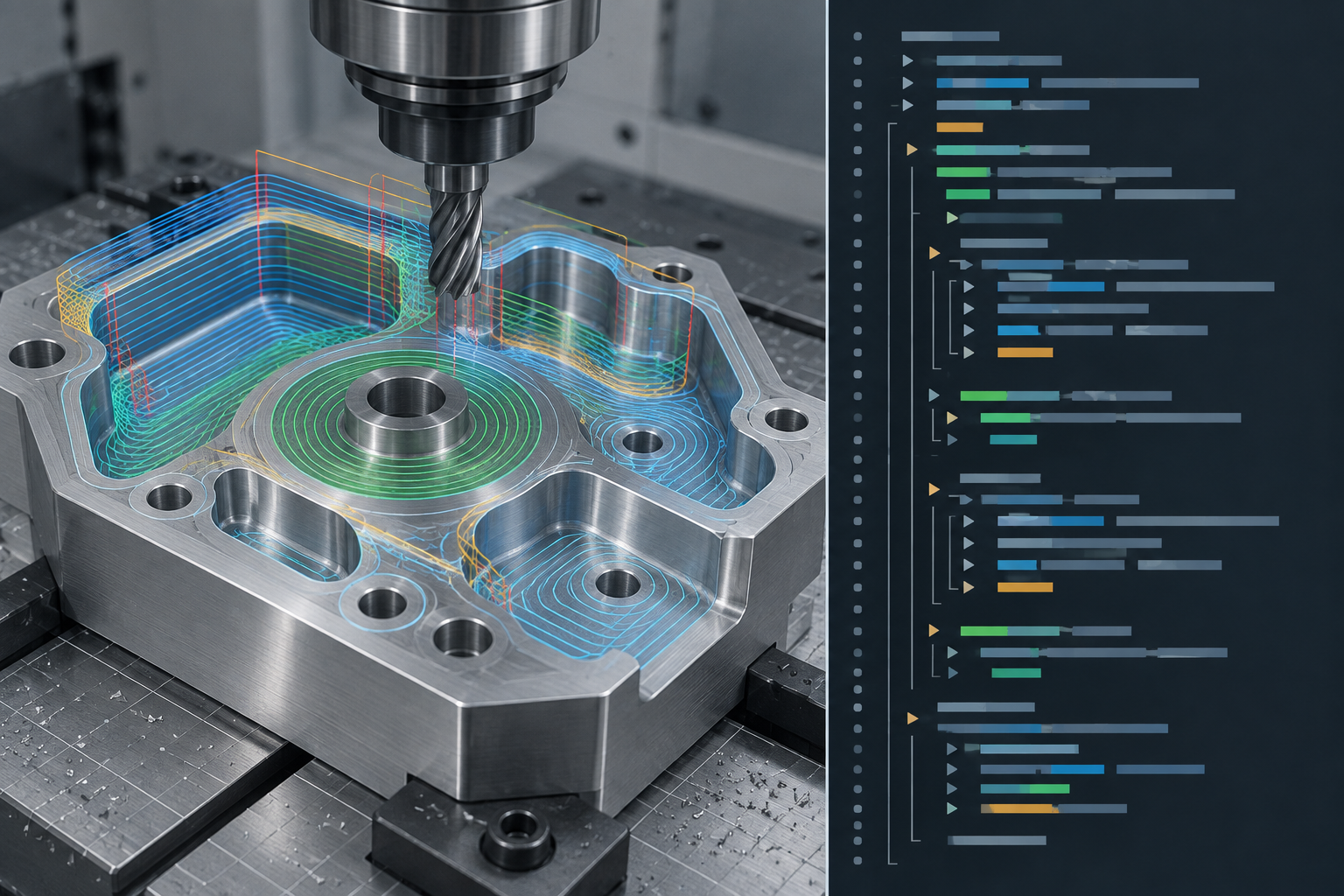
If the part structure is complex, requires multi-axis simultaneous motion, or demands high surface quality, the capability boundaries of programming and post-processing will directly affect manufacturability. You can refer to CNC machining capabilities to understand the applicable scope of milling and turning, then determine which features require adjusting toolpath strategies or splitting operations.
Turning, Milling, and Multi-Axis: Differences in Programming Languages
Although turning and milling share the G-code system, the emphasis of their commands differs. Lathes center on compound cycles such as G71/G70, with programming logic built around rotational body profiles and end faces; the X axis usually represents diameter rather than radius, which is extremely error-prone during manual modification. Milling relies on G41/G42 cutter radius compensation and G43 length compensation, combined with subprograms and coordinate system rotation, to handle planar contours and cavities.
When parts enter four-axis or five-axis simultaneous motion, the difference is no longer "how commands are written," but tool axis vectors and post-processing capability. Multi-axis toolpaths require CAM to calculate tool tip points and tool axis directions, and the post-processor must correctly output RTCP (tool tip following) or rotary axis angles. If the post-processor is not customized for the specific machine motion structure, simulation may pass but actual cutting may still overcut or collide. Therefore, parts such as complex surfaces, impellers, and irregular cavities almost all rely on software programming rather than hand-written code.
- Turning: compound cycles, diameter programming, threading, and grooving cycles are high-frequency commands.
- Three-axis milling: radius compensation, subprograms, and coordinate system transformation determine programming efficiency.
- Multi-axis: Tool axis control and post-processor customization are the keys to success; manual programming is basically infeasible.
Common Programming Faults and Troubleshooting Logic
When a program runs away, dimensions go out of tolerance, or the machine alarms out, the shop floor often suspects the toolpath first. But experience shows the root cause is often not in the trajectory generated by CAM itself, but in post-processor translation, machine parameters, or the fixturing state. Layered troubleshooting avoids repeatedly recalculating toolpaths and wasting time.
Layered Troubleshooting Sequence
- Toolpath layer: Check whether stock allowance, lead-in/lead-out, and gouging/undercutting come from strategy settings rather than code errors.
- Post-processor layer: Confirm whether arc output format, coordinate mode, and tool change and spindle commands match the current control system.
- Machine parameter layer: Verify cutter compensation, work coordinate system, feed override, and spindle status, and rule out misconfiguration on the operator panel.
- Fixturing layer: Check the datum surface, clamping deformation, and actual tool extension length to rule out physical deviations.
| Symptom | Layer to Suspect First | Quick Verification |
|---|---|---|
| Local gouging | Toolpath / Post-processor | Dry run or simulation compared with stock allowance settings |
| Whole-part dimensional drift | Machine parameters / Fixturing | Re-measure datum and cutter compensation values |
| Collision during tool change | Post-processor / Machine parameters | Check tool change point and safe height |
| Control alarm | Post-processor | Verify arc and coordinate command formats |
When troubleshooting, fix variables first: change only one layer at a time, and after each change perform a first-article verification. If code errors out after switching machines, suspect the post-processor rather than the toolpath; re-outputting and simulating is usually more reliable than editing code line by line.
Frequently Asked Questions (FAQ)
The following questions come from the most common inquiries raised by programmers, process engineers, and buyers when reviewing CNC programming solutions. The answers provide only the judgment logic and do not promise specific tolerances, certifications, or lead times.
Handwritten G-code vs. CAM programming: how do you choose?
It depends on part complexity and batch size. For simple turned parts, one-off fitting, or on-the-spot tool adjustments, handwriting is faster; for curved surfaces, multiple faces, multi-axis work, or parts requiring repeated iteration, CAM's toolpath generation and simulation are more controllable. Most shops use a mix: CAM produces the main program, and the floor makes fine adjustments by hand.
Do you need to write your own post-processor?
Not necessarily. Common control systems usually have ready-made post-processors available, but when switching systems, switching machines, or using special cycles, modification or even rewriting is often required. It is advisable to treat the post-processor as an asset that needs verification: first confirm it in a dry run or simulation, then run a first-article trial cut.
Are macro programs hard to learn? Are they worth the investment?
Basic variables and conditional logic are not hard; the difficulty lies in maintenance and handover. For series parts, part families, and fixed cycles, the benefits are clear; for one-offs and jobs with few variants, macro programs instead increase debugging costs. The criteria are batch size, number of variants, and operator skill.
If a programming error causes scrap, how is responsibility determined?
It depends on the contract and process agreements. A sound approach is to clearly define responsibility at each stage—programming, review, and first-article confirmation—and to retain program versions and trial-cut records. Performing first-article confirmation before mass production can usually significantly reduce the risk of scrapping an entire batch.
After switching machines, can the original code be used directly?
Usually it cannot be carried over directly. Control systems, travels, tool magazines, and coordinate definitions differ, so re-post-processing and verification are required. Even if the control system is the same, it is advisable to first dry run, then perform a first-article trial cut, and only then proceed to mass production after confirming everything is correct.
Key takeaways
- G-code is the low-level language that machine tools can directly execute; CAM is merely a tool that generates it, and understanding G-code helps troubleshoot on-site problems.
- Simple parts, mold repair, and single-piece rework are suitable for hand-writing or macro programs; complex surfaces and multi-process parts are better suited to CAM programming.
- Post-processing determines whether CAM toolpaths can safely run on the machine; when changing machines or systems, the post-processor must be re-verified.
- Macro programs are suitable for parameterized series parts and fixed cycles, but readability and maintenance costs need to be weighed.
- Programming problems often manifest as dimensional out-of-tolerance, overcutting, or alarms; when troubleshooting, first distinguish whether the issue is the toolpath, the post-processor, or machine parameters.