What Is CNC Prototyping: First Distinguish the Three Paths of Subtractive, Additive, and Forming
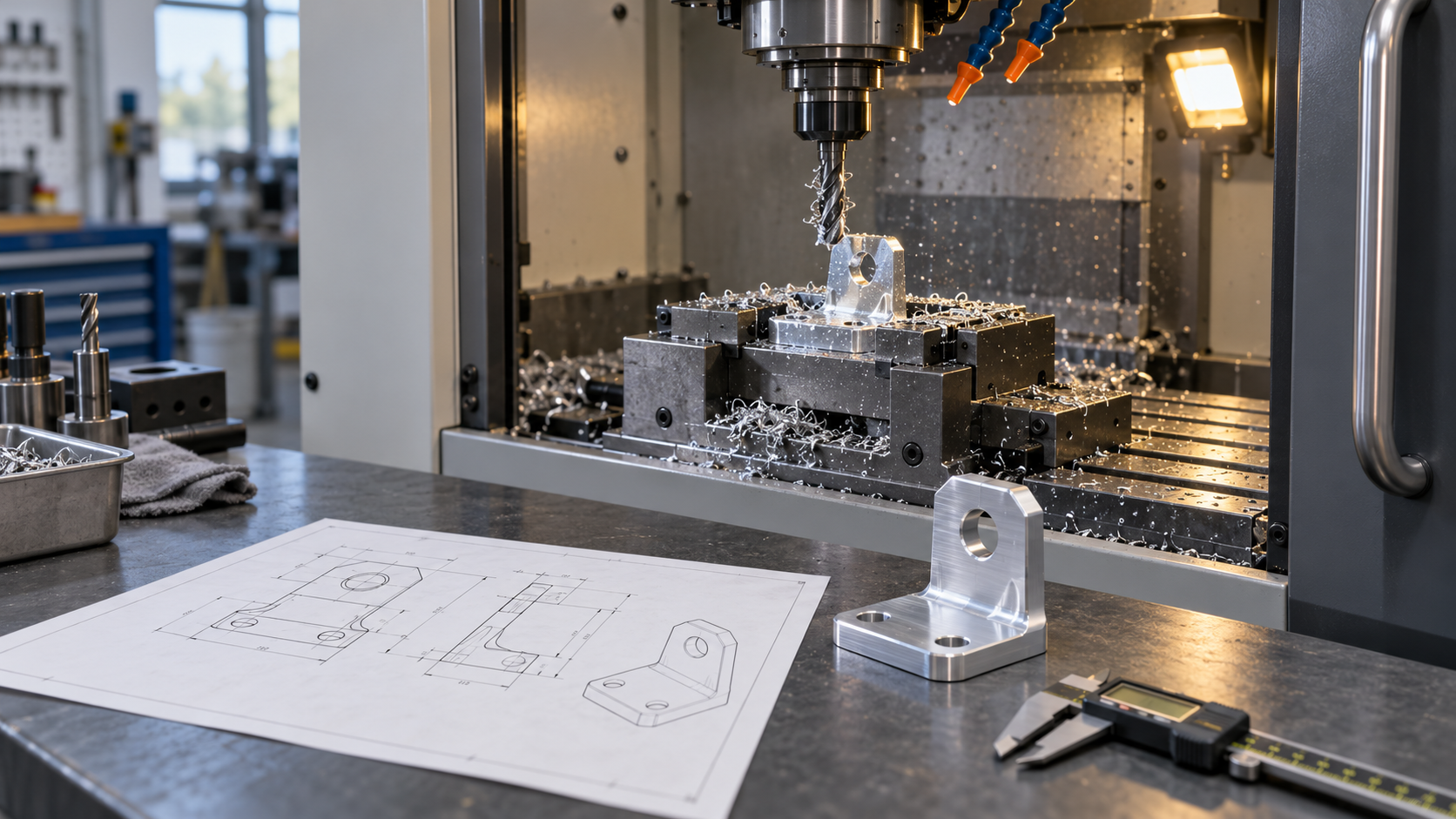
CNC prototyping is the use of CNC machine tools to cut away excess material from a solid blank, quickly producing a small number of parts to validate a design, trial-fit assemblies, or run functional tests. Its essence is subtractive manufacturing: the blank only loses material, never gains it, and the final shape is determined by the toolpath. This determines why it and the other two paths—3D printing and injection molding—are hard to substitute for one another in terms of use.
3D printing is additive manufacturing, where material is deposited layer by layer. It suits early validation parts with complex structures, internal channels, or hollows, but without overly demanding appearance and dimensional accuracy requirements; its drawbacks are interlayer anisotropy, visible layer lines on the surface, and warping on large flat surfaces. Injection molding is mold forming, where plastic fills a cavity and cools to set. A mold must be made upfront, and the cost and lead time are amortized over the mold, so it is only economical when the volume is large enough. CNC prototyping sits in between: no mold is needed, the material is close to its final service state, and dimensions and surfaces are usually closer to the finished product than printed parts.
So to decide which path to take, first ask what problem the prototype is meant to solve. If you just want to see the shape proportions and confirm assembly relationships, 3D printing is often faster and cheaper; if the part must fit onto an existing mechanism, withstand torque, form a sealing fit, or undergo fatigue testing in the final material, CNC prototyping is more suitable. The core value of prototyping is verifying assembly relationships, tolerance fits, and structural strength, not chasing a production unit price—once this is clear, there is a basis for choosing the machine, material, and tolerances later.
| Dimension | CNC prototyping (subtractive) | 3D printing (additive) | Injection molding (forming) |
|---|---|---|---|
| Forming method | Cutting tool removes blank material | Material deposited layer by layer | Melt fills the mold cavity |
| Mold/tooling | Usually only fixtures needed | Usually none needed | Mold must be made; high upfront investment |
| Suitable quantity | One-off to small batch | One-off to small batch | Economical only for mass production |
| Dimensions and surface | Closer to finished product; can be refined | Obvious layer lines; precision limited by the process | Good consistency; depends on mold quality |
| Typical risks | Fixturing deformation, tool interference | Warping, interlayer strength | Sink marks, weld lines, warping |
One more point is often overlooked: the dimensions of a CNC prototype are "machined out," not "replicated from a mold." With the same drawing, changing the fixturing scheme or the tool can produce different results. This is also why the process needs to be confirmed with the processor at the prototyping stage, rather than sending the file over and waiting for delivery.
How to Do CNC Prototyping: The Actual Actions of a Five-Step Process
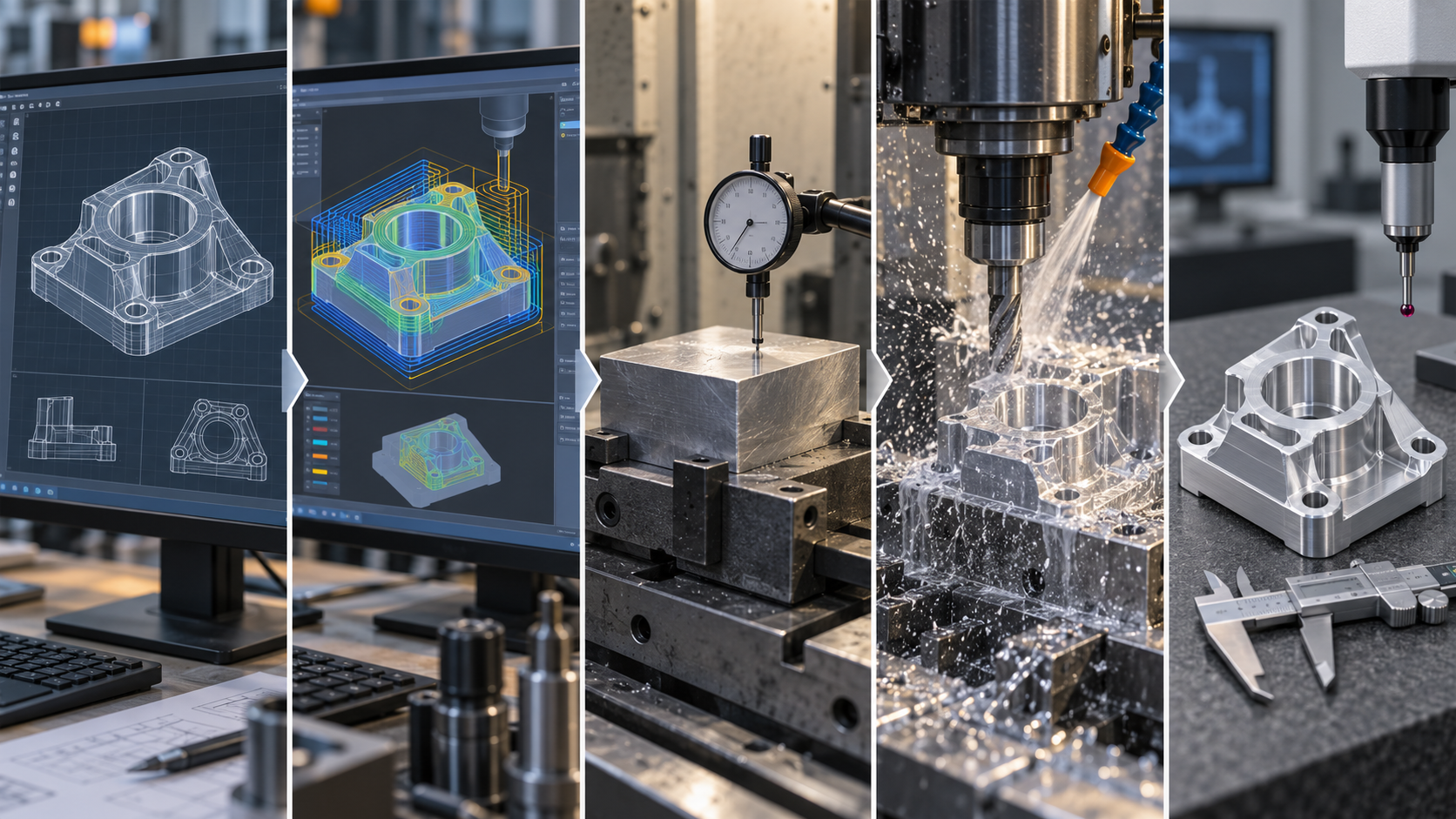
Step 1: Check the CAD Model—Clean Up the Data Before Prototyping
Step 2: CAM Programming—From Toolpath to G-Code
Step 3: Fixturing and Tool Setting—Datums Determine Dimensional Consistency
Step 4: Cutting—Watch Chip Evacuation, Cooling, and Tool Deflection
Step 5: Post-Processing and Inspection—Machining Done Is Not the End
Which Machine for Prototyping: The Division of Labor Between Milling, Turning, and Drilling
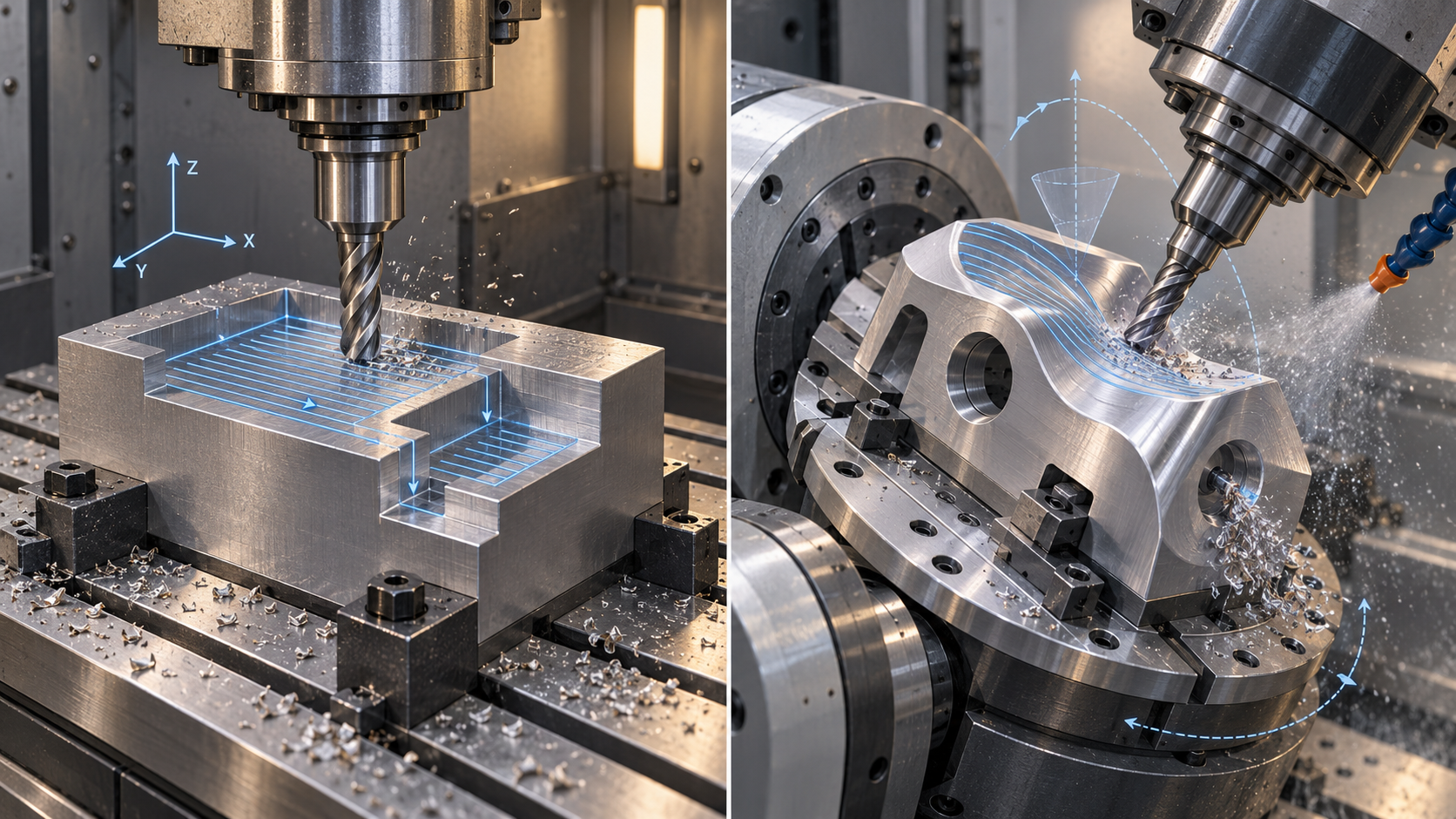
Milling: How to Choose Between 3-Axis and 5-Axis
Turning: Rotational Parts First, Unit Cost Usually Lower
Drilling, Reaming, and Tapping: Supplementary Operations for Hole Features
Selection Judgment: Let the Features Determine the Machine
| Flats, steps, pockets, profiles | 3-axis milling | Straightforward fixturing, clear programming path |
| Freeform surfaces, side holes, multi-face features | 5-axis milling | Fewer setups, higher programming and machine-hour cost |
| Shafts, sleeves, flanges, threaded rods | Turning | Rotational parts completed in one setup, unit cost usually lower |
| Ordinary mounting holes | Drilling | General precision, suitable for non-mating holes |
| Pin holes, locating holes | Reaming | Refines hole diameter and wall, higher fit precision |
| Internal thread | Tapping | Requires clearance for tool retraction, specify thread standard |
How to choose prototyping materials: common options for metals and plastics
Material selection for CNC prototyping is essentially reverse-engineering from the "test purpose." Whatever the part is used to validate, that determines the material. Assembly trial fitting, appearance mockups, load-bearing functional testing, and conductive or corrosion-resistant requirements each point to different options. The common industry practice is: first define the test objective, then check whether the material can machine the key features required by the drawing, and only then compare prices. Asking "how much does the most expensive material cost" first often means spending unnecessarily during the prototyping stage.
Metal prototyping: trade-offs among aluminum, steel, brass, and titanium
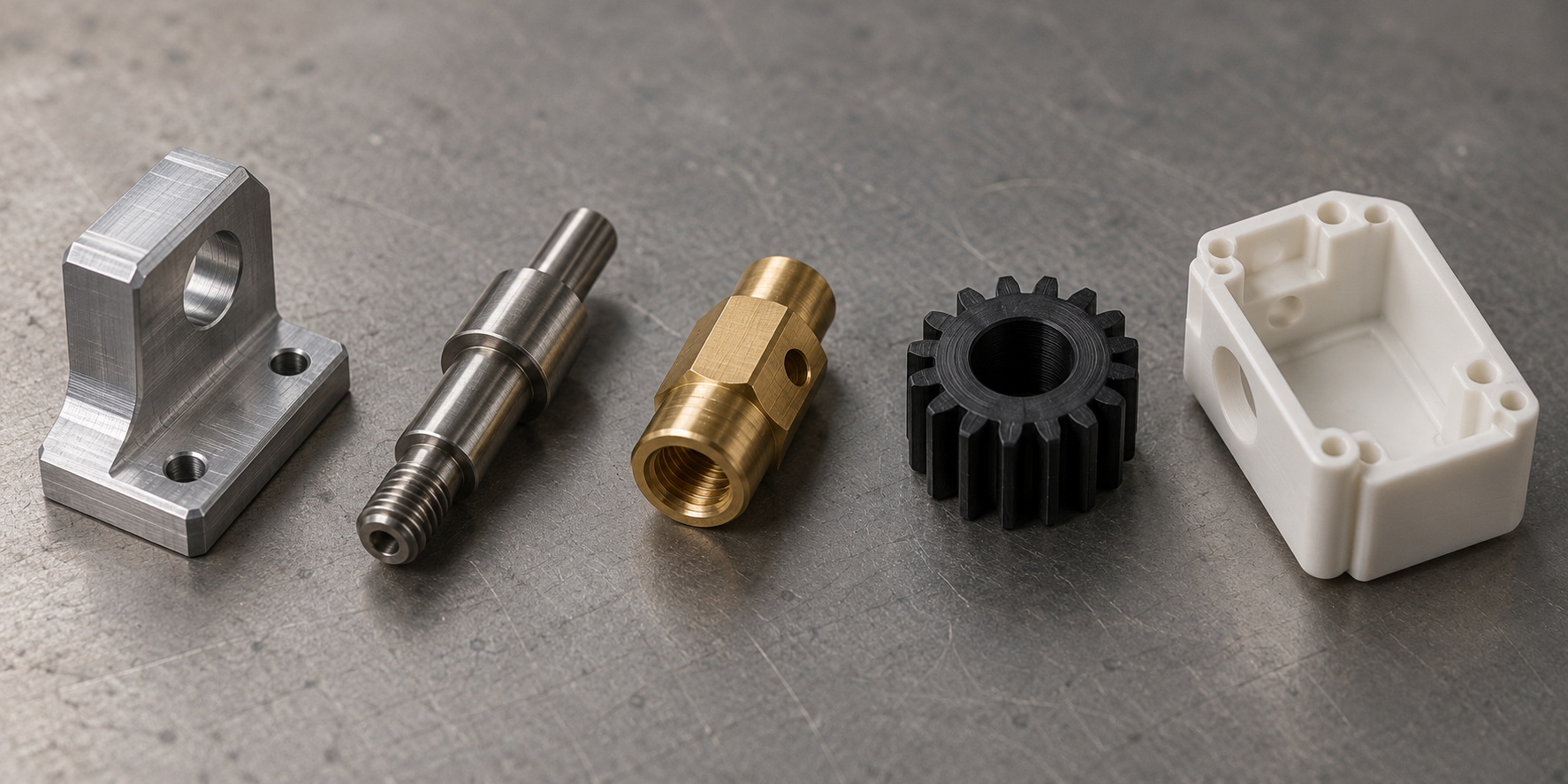
Aluminum alloy is the most commonly used metal in CNC prototyping. It machines well, is lightweight, and offers many surface treatment options, and is often used for structural parts, enclosure mockups, and bracket-type parts. 6061 and 7075 are common industry grades; the former offers balanced machining and anodizing performance, while the latter has higher strength but is more sensitive to tooling and parameters during cutting. If the prototype needs to approximate the final product's service condition, aluminum is often a relatively safe starting point.
Steel and stainless steel are used where structural strength, wear resistance, or corrosion resistance requirements are higher. Low-carbon steel is easy to machine and suitable for load-bearing validation parts; stainless steel (such as 304, 316) has good corrosion resistance but poor machinability, fast tool wear, and usually longer machining time, which drives up per-piece cost. Brass has excellent machinability and is often used for conductive parts, decorative parts, and precision small components, and the machined surface finish is often quite good. Titanium is another case: high strength and lightweight, but poor thermal conductivity and poor machinability, and it easily causes tool deflection and burning during machining. The industry often uses it for high-strength, lightweight functional validation parts, and the cost is significantly higher than aluminum and steel.
Plastic prototyping: applicable scenarios for ABS, POM, nylon, and PMMA
Plastic prototyping is mostly used for appearance validation and assembly trial fitting. ABS has balanced overall performance, and its machined surface is easy to sand and paint, making it a common choice for appearance mockups. POM (commonly called Delrin in the industry) has good rigidity, dimensional stability, and a low friction coefficient, making it suitable for gears, sliders, and mating parts. Nylon has good toughness and wear resistance, but its dimensions change after moisture absorption, so if dimensions are sensitive during prototyping, this must be taken into account. PMMA (acrylic) has good transparency and is used for light-guide parts, windows, and transparent appearance parts, but it is fairly brittle and must be handled carefully during machining and transport.
Plastic prototyping and metal prototyping serve different roles: plastic parts are more about validating assembly relationships, appearance effects, and preliminary structure, while metal parts are closer to the final service condition. If the prototype will later transition to injection molding, attention must also be paid to material shrinkage and draft direction, and these must be aligned with the machining provider at the design stage. The common industry practice is: use ABS or PMMA for appearance validation, POM or nylon for assembly validation, and prioritize metal for functional load-bearing validation.
After the material is selected, there is another easily overlooked step: the same grade in different conditions (such as T6 and T651 for aluminum, annealed and quenched-and-tempered for steel) does not machine or perform the same in the final part. The prototype drawing should ideally specify the material grade and condition clearly, and note key performance requirements when necessary, to avoid the machining provider starting work with default stock material. Material selection is not about choosing the most expensive option, but about making the prototype result answer the question you need to validate. Common CNC prototyping tolerances in the industry are on the order of ±0.1 mm; tighter mating surfaces need to be separately specified and confirmed, and material selection directly affects whether that tolerance can be achieved consistently.
DFM checks that must be done before prototyping: push cost down into the design stage
When it comes to how to do CNC prototyping, many people's first reaction is "find a machine and cut the model out." The actual order is the opposite: the first thing to do should be a DFM check, that is, a manufacturability assessment. For the same part, a few fillets, one wall thickness, or one tolerance callout on the drawing can make a huge difference in machining time. DFM changes the model, not the machine—dragging a line on screen costs far less than re-fixturing, changing tools, and running a second program pass in the shop.
What exactly does a DFM check change during CNC prototyping?
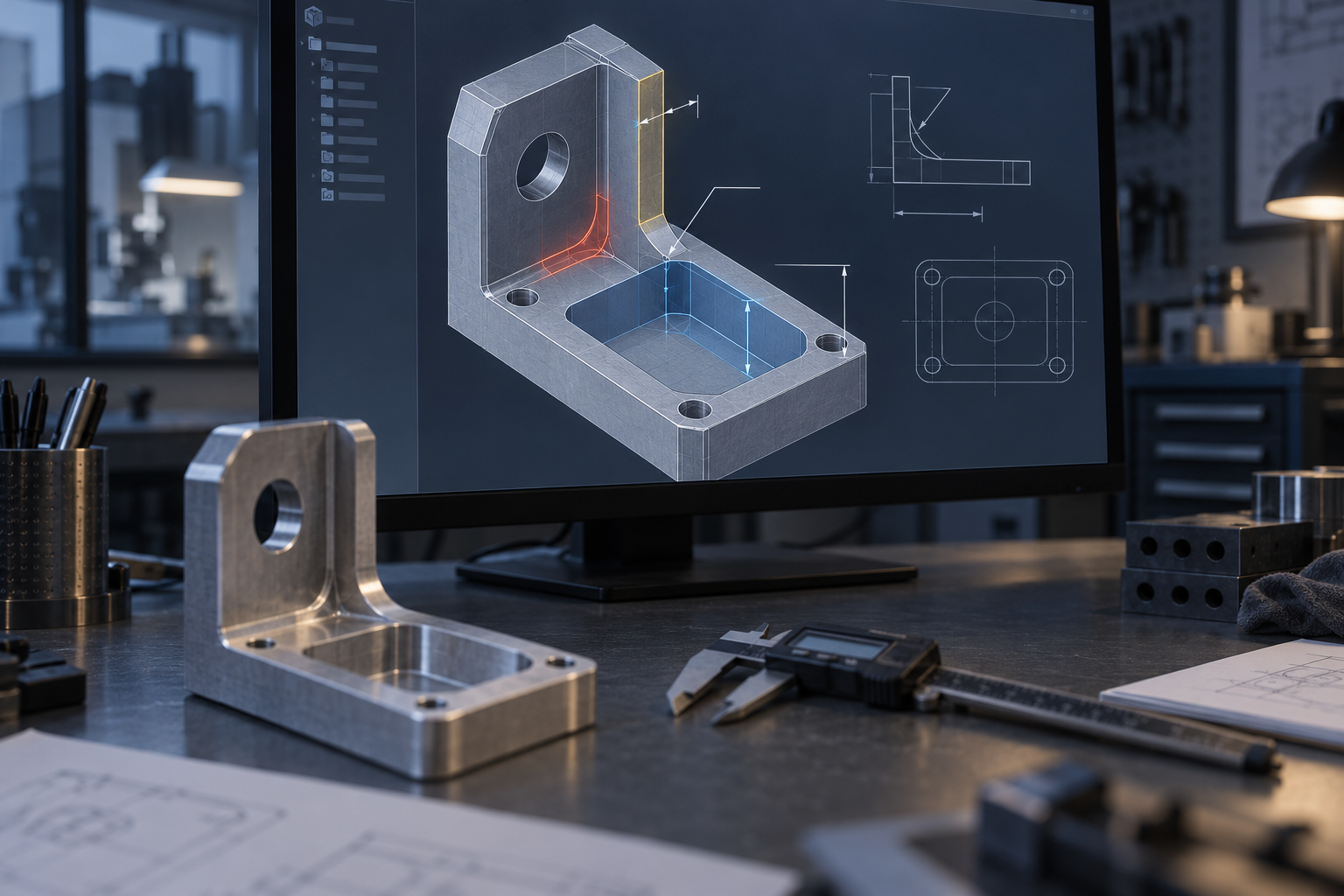
CNC prototyping uses subtractive manufacturing, the tool is round, and there must be room for tool entry and retraction. Any design that conflicts with this physical rule translates directly into time and cost. Common pre-prototyping check items include:
- Internal fillet radius: the fillet radius at a pocket corner should not be smaller than the tool radius used. Designing a sharp right angle is equivalent to requiring a square tool—in practice, only a smaller-diameter tool can be used to clear the corner slowly, and EDM may even be required. Writing a larger R angle is often the most cost-saving change.
- Wall thickness: overly thin vertical walls vibrate under cutting forces, causing tool deflection and chatter marks, and in severe cases deforming and scrapping the part. The common industry practice is to keep the thinnest wall thickness no less than a certain multiple of the tool diameter; the specific value varies with material and structural rigidity and needs to be confirmed on the drawing.
- Pocket depth: deep pockets are limited by the tool's length-to-diameter ratio. The longer the tool extends, the more prone it is to chatter, making surface quality and dimensions difficult to guarantee, so only small depth-of-cut slow passes are possible. Deep pockets should either be made shallower or the longer machining time should be accepted at the design stage.
- Threaded holes and tool retraction space: space for the tap or milling cutter must be left at the bottom of the hole, and blind-hole threads are especially easy to overlook. If the distance from the hole opening to the side wall is too short, the tool and tool holder will collide with the workpiece.
- Unnecessary tight tolerances and non-standard features: dimensions that are not mating surfaces specified to two decimal places only increase inspection time and do not improve function. Features such as non-standard threads and irregular slots often require custom tools or extra operations.
The tighter the tolerances, the higher the prototyping cost
Tolerance is the item most easily written too tightly in DFM. Every time a tolerance is tightened on the drawing, the machining side needs one more measurement, one more finishing pass, and one more round of first-article review. Common CNC prototyping tolerances in the industry are roughly on the order of ±0.1 mm, which can satisfy most assembly validation and functional testing; mating surfaces that truly need tighter tolerances—such as bearing seats and locating pin holes—should be specified separately and confirmed with the machining provider in advance as to whether they can be achieved, rather than tightening the entire drawing uniformly. Tighter tolerances usually mean higher equipment and labor input, and this will show up at the quotation stage.
Putting the DFM check before prototyping yields compounding benefits: fewer fixturing setups, shorter programming time, and lower scrap probability. If interference is only discovered after the part is cut, it is not just the model that has to change. If you are unsure which features need to be relaxed, hand the drawing and functional requirements together to the machining provider for a round of manufacturability assessment; that is faster than guessing repeatedly on your own.
A DFM checklist is not a universal formula
Different materials, different machines, and different tools have different acceptable limits. Aluminum parts machine easily, and thin walls are tolerated better than in stainless steel; five-axis machines can reduce fixturing, but the programming time for complex surfaces themselves is still there. Therefore, the conclusions of a DFM check should land on this drawing, this material, and this prototyping purpose, rather than copying a generic checklist. Explain clearly "why this feature is designed this way," and the machining provider can propose truly usable alternatives.
Fixturing, datums, and tolerances: the key to whether prototype dimensions stay stable
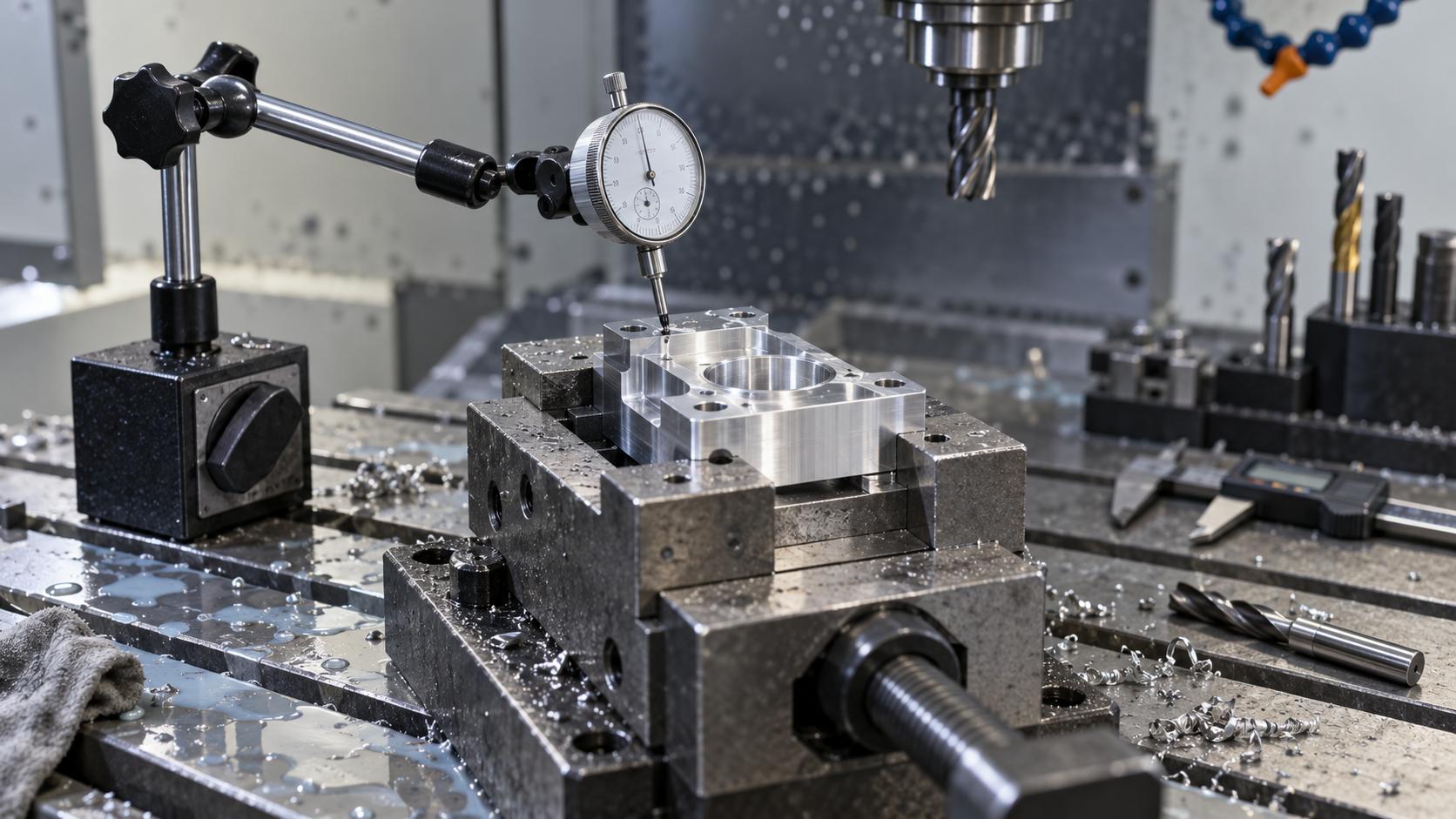
With the same model, the same machine, and the same tool, changing the fixturing scheme can make measured dimensions differ by several hundredths of a millimeter. This is the most underestimated link in CNC prototyping: tolerance callouts on the drawing only describe "what is wanted," while datums and fixturing determine "whether it can be achieved consistently." CNC prototyping runs are small in quantity and often have no dedicated tooling, so whether datums are unified and whether fixturing is rigid almost directly determine the first-article pass rate.
Datum consistency: design datum, process datum, and inspection datum should coincide as much as possible
The face or axis chosen when dimensioning is the design datum; the face used for alignment and locating during machining is the process datum; the starting face for calipers or CMM during inspection is the inspection datum. If the three do not coincide, datum transfer error is introduced. For example, if the drawing dimensions hole positions from the bottom face, but machining locates against a side face with a fixture, and inspection clamps the top face, then each datum change stacks another layer of error. When prototyping, the easiest approach is to have the machinist clamp on the drawing datum face and clearly mark that face on the first article.
If the drawing itself does not specify a clear datum, or the datum is a theoretical centerline or other feature that is hard to find, confirm with the machinist before prototyping: switch to a clampable solid face as the process datum and adjust the key dimension callouts accordingly. The communication cost of this step is far lower than scrapping and remaking the finished part.
Complete more features in one setup: reduce repeated locating error
Every time the workpiece is removed and re-clamped, it must be realigned and the tool reset, and errors accumulate. If multiple pockets, steps, and holes on the same face can all be machined in one setup, positional consistency is usually noticeably better than with multiple setups. This is also one of the values of five-axis machines in CNC prototyping: through simultaneous rotary tables, the workpiece can expose multiple machining faces with fewer setups, reducing datum drift caused by re-clamping. Of course, whether to use five-axis depends on the part structure, and not every prototype part is worth it—this must be confirmed based on feature distribution and tolerance requirements.
Clamping force control and tool deflection risk for thin-wall and slender parts
Thin-wall parts are most vulnerable to excessive clamping force: the workpiece is compressed and deformed during clamping, then springs back after release, causing dimensions to go out of tolerance. Common solutions are to reduce clamping force, add support points, and separate roughing and finishing—leave allowance in roughing, release stress, then finish to size. Slender parts are prone to tool deflection: the tool or workpiece elastically deforms under cutting force, and the actual profile cut is slightly "pushed away" from the programmed path, appearing as a larger or smaller middle section. Shortening tool overhang, reducing radial depth of cut, and adding auxiliary support can all mitigate this. If such deviations are found during prototyping, first check clamping and tool rigidity rather than rushing to change the program.
Cutting heat and thermal deformation: dimensional drift under continuous machining
Continuous cutting raises the temperature of the spindle, tool, and workpiece, and after the material thermally expands, the measured dimensions differ from those after cooling. Aluminum alloy has a relatively large coefficient of linear expansion; for long parts, a temperature difference of a few degrees can produce visible deviation over several hundred millimeters of length. Prototype quantities are small and single-piece time is short, so this problem is usually not prominent; but for long continuous cutting or large thin-wall parts, consider separating roughing and finishing, appropriate cooling, and if necessary waiting for the workpiece to cool before final measurement. For inspection, use data measured in a constant-temperature room or a stable environment.
Looking at these factors together, the dimensional stability of CNC prototyping is actually the combined result of "datum—setup—tool—heat." A common industry practice is: control prototype tolerances at the ±0.1 mm level, tighten mating surfaces or bearing seats separately, and require first-article confirmation (industry typical, not a commitment; subject to drawing and machinist evaluation). The tighter the dimensional requirements, the more the setup plan, inspection methods, and labor hours will change, so clarifying datums and key dimensions before prototyping is the most cost-effective step. If the drawing is already fixed, you can first learn about the process scope in CNC machining capabilities, then upload the model to confirm the setup and tolerance plan.
Prototype post-processing and inspection: deburring, surface treatment, and measurement
A CNC prototype taken off the machine is only a semi-finished product. Sharp edges, burrs, tool marks, and untreated surface conditions can all cause a dimensionally acceptable part to fail during assembly or testing. A truly delivered prototype must go through post-processing and inspection, these two finishing steps, to complete the closed loop from CAD to physical part.
Deburring and chamfering: first ensure it fits and is safe to touch
Cutting inevitably leaves burrs on exit edges, especially on milled contour edges, both ends of drilled holes, and tapped openings. Burrs are not just a feel issue: they affect mating surface contact, and loose metal chips can enter kinematic pairs and scratch other parts. Manual deburring uses files, scrapers, and oilstones; for larger quantities, deburring tools or vibratory finishing can be used. Chamfers should follow the drawing; common 0.5×45° and 1×45° are only customary industry notations, and the specific angle and edge width are subject to the drawing callouts. For any edge a person will touch and any edge outside a sealing surface, whether to chamfer should be clarified during prototyping, rather than waiting until assembly gets stuck and then reworking.
Surface treatment: the decisive step for appearance and wear resistance
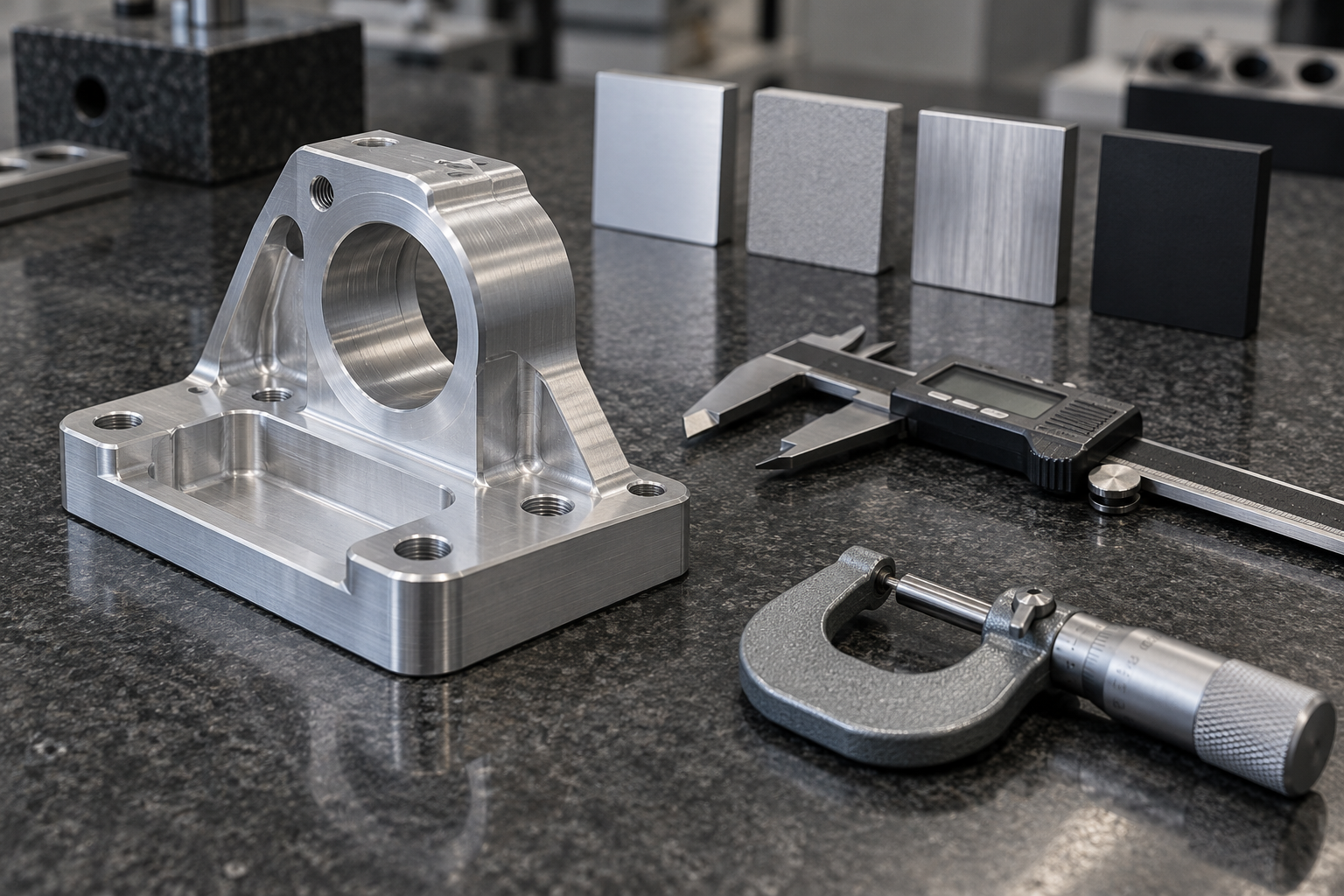
Surface treatment for prototypes depends on the test purpose. Aluminum parts commonly use anodizing (can be colored, improves corrosion resistance and surface hardness), bead blasting (uniform matte texture), and brushing (decorative texture); steel parts commonly use black oxide, zinc plating, and nickel plating; brass parts that need conductivity or decoration may be nickel-plated or passivated. Note that anodizing, electroplating, and similar treatments change dimensions—oxide layers and plating layers add wall thickness at the scale of microns, and threads, mating holes, and precision journals often need allowance or masking. If the drawing only says "surface treatment: anodizing," the machinist does not know where to mask or what the coating thickness grade is; this information is best added during the prototype confirmation stage.
Measurement and first article report: state the key dimensions clearly
Routine dimensions can be checked with calipers, micrometers, and height gauges; key mating dimensions and geometric tolerances (coaxiality, perpendicularity, position) require a coordinate measuring machine (CMM) or vision measuring instrument. The most common pitfall during prototyping is that the drawing does not mark which dimensions are critical—the machinist delivers according to routine sampling inspection, and only during assembly is it discovered that a hole position is off. It is recommended to directly circle mating dimensions, datums, and items requiring reports in the prototype order. The value of a first article inspection report (FAI) is not in its form, but in recording "how this dimension was measured, where the datum is, and what the result is." With small prototype quantities, measuring every piece is often feasible; by small-batch stage, whether to sample inspect must be separately confirmed according to drawing tolerance grade and application.
Only after post-processing and inspection are completed is a CNC prototype truly usable for assembly verification or functional testing. In other words, the delivery standard for a prototype is not "it has been cut," but "dimensions are traceable, edges are safe, and surface condition matches the use scenario."
Common CNC prototyping questions: why prototype parts cost more than production parts
The unit price on a prototype quote is often noticeably higher than for production parts. The reason is not material, but the labor structure: CAM programming, fixture design and setup, tool preparation, first-article trial cutting, and dimensional review—these one-time tasks must be spread over just a few pieces or even one piece. Once volume increases, the same program runs repeatedly, and the unit price drops significantly. So using prototype unit price to estimate production unit price usually does not hold.
Several common categories of problems during prototyping can mostly be eliminated in advance during programming and setup:
- Out-of-tolerance dimensions: first check machine geometric accuracy and thermal drift, then recheck tool compensation values and actual tool diameter; inconsistency between the tool-setting datum and the drawing datum is a high-frequency cause.
- Surface chatter marks: reduce feed per tooth, shorten tool overhang, add auxiliary support, and if necessary reduce depth of cut and take an extra pass.
- Burrs and rolled edges: optimize entry/exit toolpaths and cutting parameters, add chamfers on the exit side or leave deburring allowance, and avoid hand rework that affects dimensions.
- Roughness not meeting requirements: adjust the speed-feed match, use a tool tip with a smaller corner radius, or add a finishing pass.
The common point of these problems is: changing the program is cheaper than changing the part. After the first article is machined, measure the key dimensions first and continue only after confirming they are correct; this is much more cost-effective than running everything and then reworking.
Why is the unit price of CNC prototyping higher than production?
Programming, setup, tool preparation, and first-article debugging are one-time labor hours, and with few pieces they cannot be spread out. As the number of pieces increases, this portion is amortized, and the unit price usually decreases accordingly. The specific reduction depends on part complexity and batch size, and requires a quote based on actual quantity.
How long does CNC prototyping generally take?
Industry-typical ranges vary from a few days to one or two weeks, depending on part complexity, quantity, material preparation, and surface treatment requirements. This is an industry-typical range, not a delivery commitment; the actual schedule must be confirmed with the machinist.
What tolerances can prototyping achieve?
Industry-typical prototype tolerances are on the order of ±0.1 mm; tighter tolerances increase machining and inspection labor hours, and cost rises accordingly. Key mating surfaces should be separately marked and communicated in advance, rather than tightening the entire drawing uniformly.
What should be done if prototype parts show chatter marks or out-of-tolerance dimensions?
First locate the cause: chatter marks are mostly related to tool overhang, feed, and support rigidity; for out-of-tolerance dimensions, first check tool compensation, tool-setting datum, and machine condition. Feeding first-article measurement data back to the programming side is usually more effective than directly reworking.
Do prototype parts still need post-processing after machining?
Usually required. Deburring and chamfering affect assembly and safety, while surface treatments such as anodizing, sandblasting, and electroplating affect appearance and wear resistance. Whether they are needed and to what extent depends on the actual usage scenario of the part.
Key takeaways
- CNC prototyping is subtractive manufacturing: a cutting tool removes material from a blank to form the part. It is one of three distinct paths, alongside the additive approach of 3D printing and the mold-forming approach of injection molding.
- The process skeleton is CAD model → CAM programming to generate G-code → fixturing and tool setting → cutting → post-processing and inspection. Skipping any step tends to lead to rework later.
- Rotational parts are more economical to turn, while plate-type or shell-type parts with pockets, steps, and threaded holes are milled; complex curved surfaces can be handled with five-axis machining to reduce the number of setups.
- Doing DFM checks before prototyping (sharp corners, thin walls, deep cavities, tool length-to-diameter ratio) is far cheaper than reworking after machining. This is the step most easily skipped at the prototyping stage and the one most worth doing.
- The per-piece price of a prototype is usually higher than that of a production part because the setup time for programming and fixturing is spread over very few pieces. This is structural, not an inflated quote.