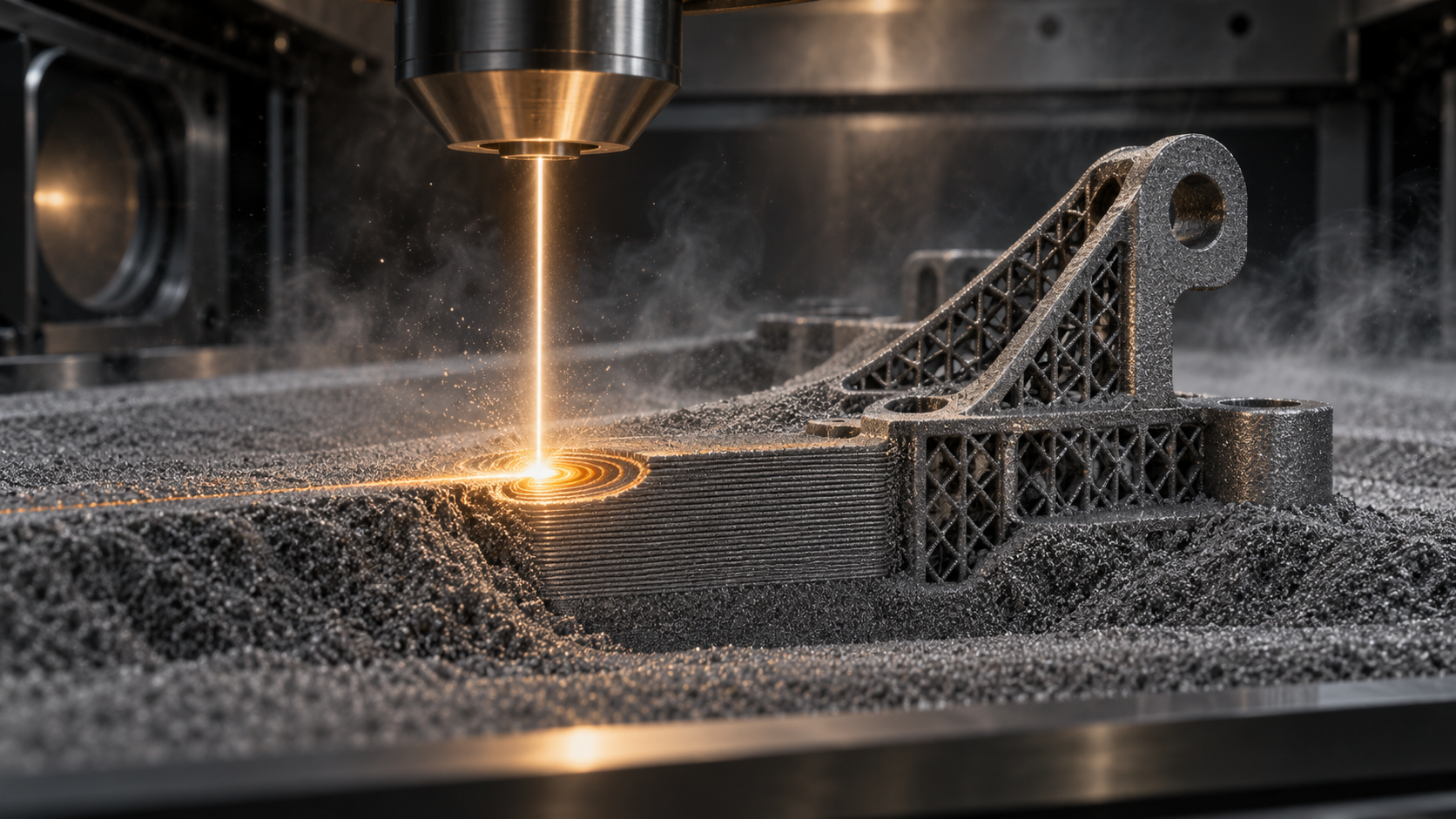
What is metal 3D printing? First, distinguish clearly between "additive" and "subtractive"
Metal 3D printing is formally called "metal additive manufacturing": a three-dimensional digital model is sliced into thin layers, and then metal powder or metal wire is used to deposit, melt, and solidify layer by layer, ultimately producing a solid metal part. Its physical essence is just six words—melt, solidify, spread another layer. There is no mold, no solid block being cut away; the part is "grown."
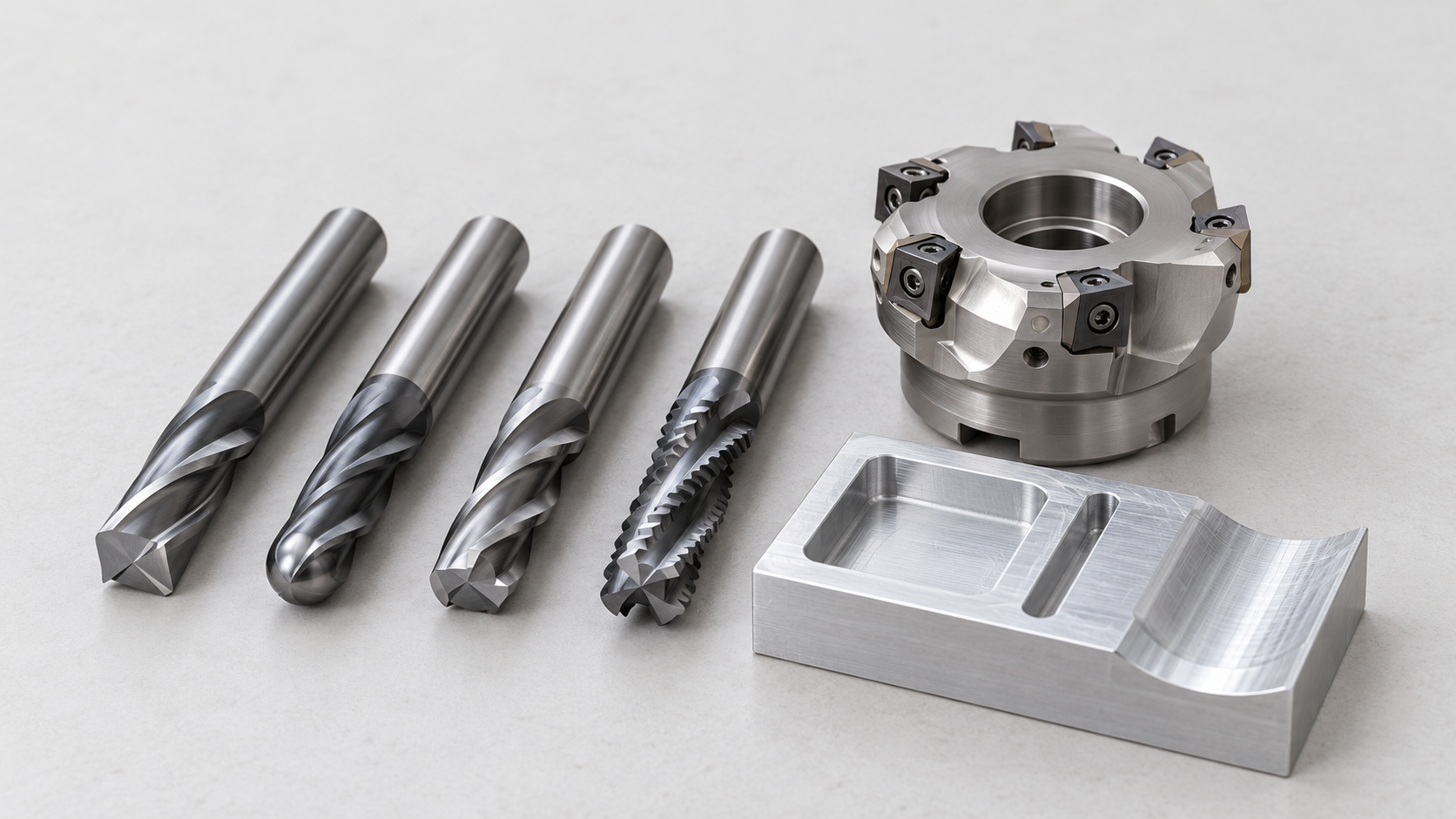
To understand it, the easiest way is to look at it in contrast with CNC machining. CNC is subtractive: take a block of metal larger than the part, use cutting tools to remove the excess bit by bit, and the part is hidden inside the material, liberated by "removal." Metal 3D printing is the opposite: the starting point is empty, and material is built up by "addition." This difference determines three things: what shapes can be made, material utilization, and what cost varies with.
What additive is good at: internal channels, lattices, and irregular parts after topology optimization
Because it builds layer by layer, metal 3D printing is almost immune to "places where a cutting tool cannot reach." There are three typical categories of structures that benefit: first, internal conformal cooling channels, such as curved paths that follow the cavity in injection molds; CNC can only drill straight holes, while additive can create arbitrary curves. Second, lattice and cellular structures, reducing weight while maintaining stiffness, commonly found in aerospace and medical implants. Third, irregular parts after topology optimization, shaped like branches or bones, which are very difficult for subtractive processes to cut. With traditional processes, these structures either cannot be made or must be split into several pieces and then welded together.
What additive is not good at: large flat plates, extremely high surface finish, and low-cost parts in high volume
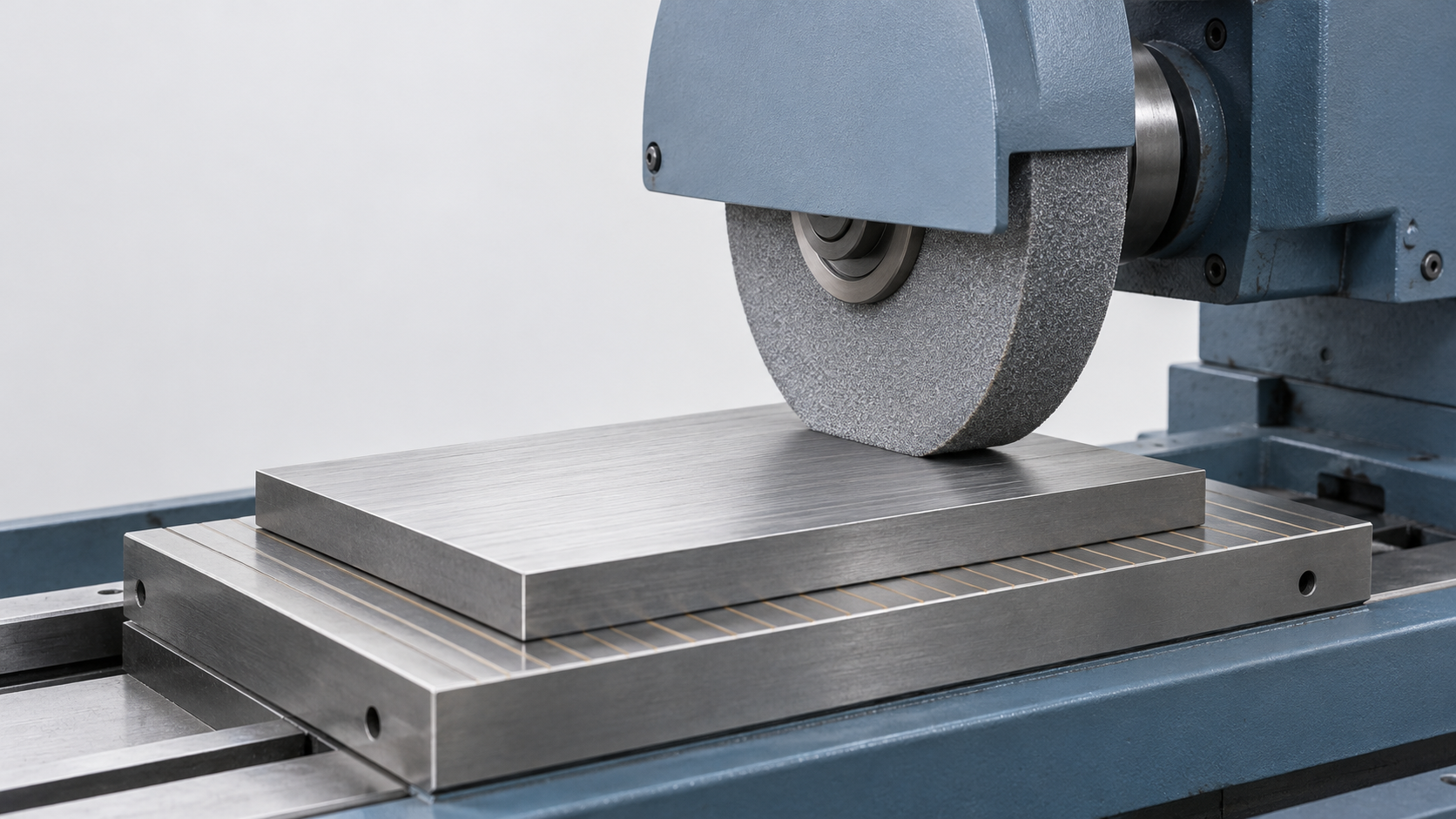
Conversely, metal 3D printing is not a universal process. For a 200×200 mm flat plate, CNC milling is a matter of minutes with one pass, while additive would have to spread thousands of layers, making time and cost uneconomical. For mirror-like mating surfaces requiring Ra below 0.4, the as-printed state usually cannot achieve it, and machining or polishing is still needed. As for simple parts in high volume at a unit price of a few dollars, mold injection or stamping is the right answer. So to judge whether a part should use metal 3D printing, first ask: does its value come from shape freedom or from production volume? Only the former gives additive manufacturing a turn.
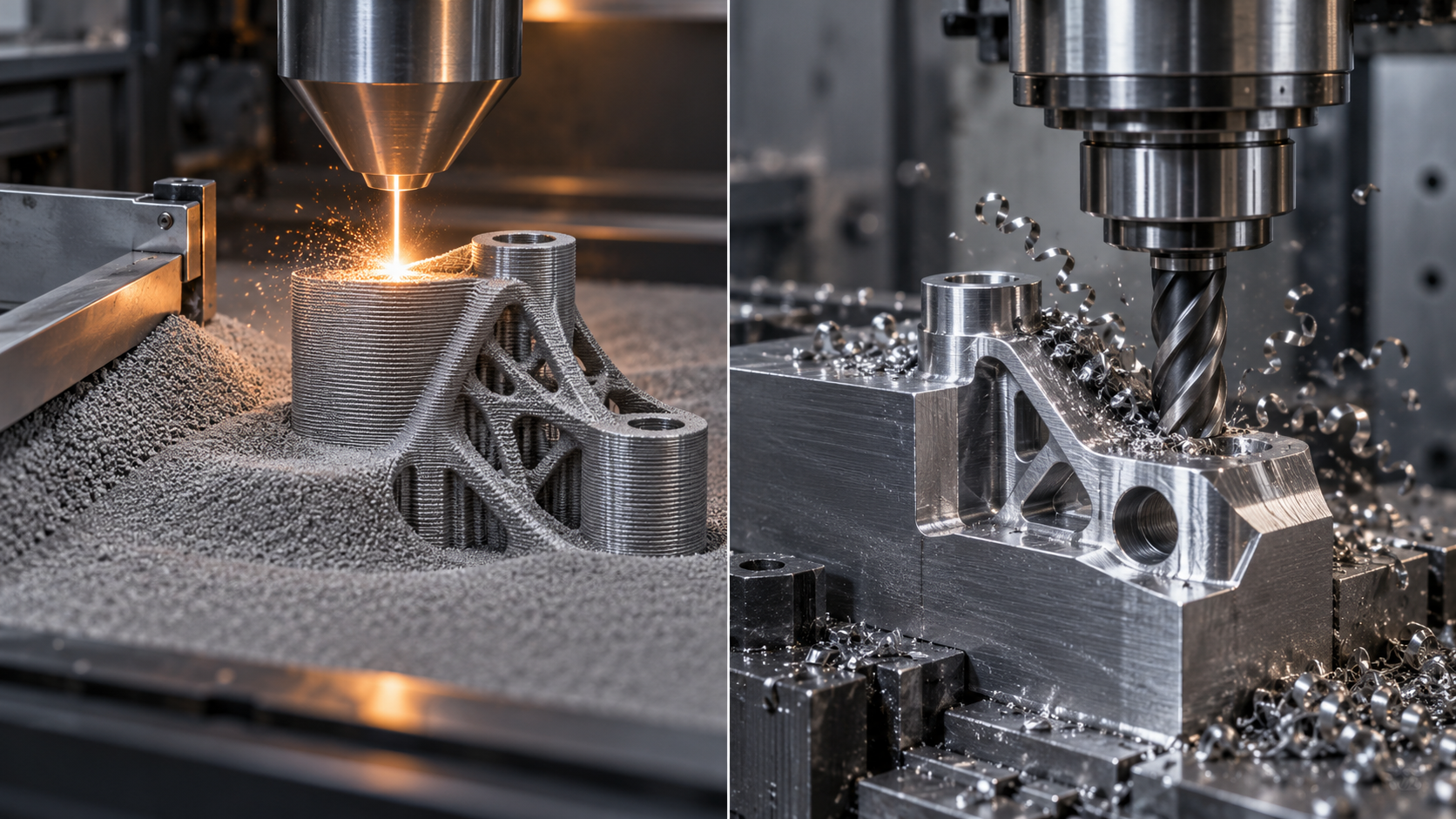
How does metal 3D printing work? The complete process from digital model to solid part
To turn a piece of metal into a part, the traditional approach is to "cut"—take a solid block and use a lathe tool or milling cutter to remove the excess bit by bit. Metal 3D printing is the opposite: start from a digital model and build the metal up layer by layer. To understand how metal 3D printing works, the most intuitive way is to follow one part through the entire process. It roughly divides into seven steps, and if any step is done wrong, it is very difficult to remedy later.
Step 1: 3D modeling and exporting sliceable data
Everything starts with a three-dimensional model. Draw the solid in CAD software and export it as an STL or STEP file. STL approximates curved surfaces with triangular facets; the file is small and highly compatible, but accuracy is affected by the number of facets. STEP preserves exact geometry and is suitable for parts that will later require machining of mating surfaces. A common mistake at this step is making the model with thin walls or self-intersecting faces; when the slicing software reads it, it becomes a pile of broken faces and everything afterward goes wrong.
Step 2: In the slicing software, set orientation, add supports, and set layer thickness
Once the model enters the slicing software, the first thing is orientation. For the same part, standing it up versus laying it down can result in completely different support volume, residual stress distribution, and surface quality. Overhang angles generally require supports beyond about 45°, otherwise the molten metal has no support and collapses. Next, set the layer thickness. Metal powder bed fusion is usually on the order of 20–100 microns—thin layers give better Z-direction detail and surface quality, but printing time increases many times over; thicker layers are more efficient but show more pronounced stair-stepping. The scanning strategy (the way the laser traces) is also determined here, and it directly affects the level of internal stress. If this step is done wrong, the part may warp halfway through printing.
Step 3: Slicing generates layer-by-layer scan paths
After the settings are confirmed, the software slices the three-dimensional solid into two-dimensional contours layer by layer, then plans the laser or electron beam scan path for each layer. These path data ultimately become instructions the machine can read. Path planning is not simply tracing outlines; it must balance melt pool overlap rate, jump order, and even the rotation angle of each layer—all aimed at making heat distribution more uniform and reducing local stress concentration.
Step 4: Spread powder, melt, lower a layer, and repeat
This is where "printing" actually happens, and it is also the most concentrated section of the core physical process of metal 3D printing. The machine first spreads a thin layer of metal powder on the build platform, and a blade or roller levels it; then the laser (or electron beam) scans along the path, and the powder particles rapidly melt and solidify, bonding firmly to the previous layer; then the build platform lowers by one layer thickness, powder is spread again, and melting occurs again. After hundreds or thousands of cycles, the part is "grown" out of the powder bed. The entire process takes place in an inert atmosphere (such as argon) or in a vacuum, in order to prevent high-temperature metal oxidation. This is why powder bed fusion can create internal channels and lattice structures that are difficult for traditional processes—each layer is independent, and unsupported areas are temporarily supported by unmelted powder.
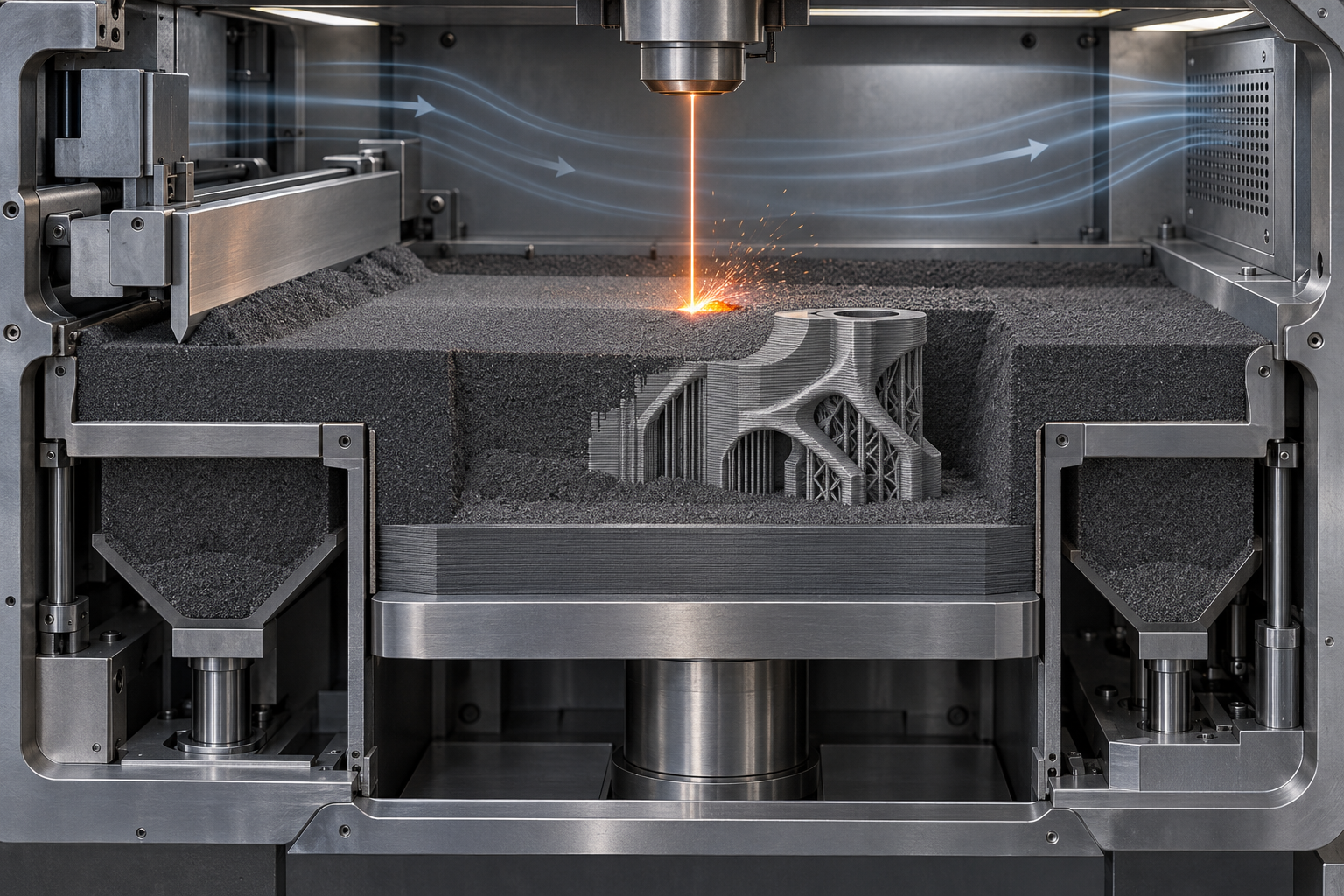
Step 5: Cooling, removal, powder cleaning, and support removal
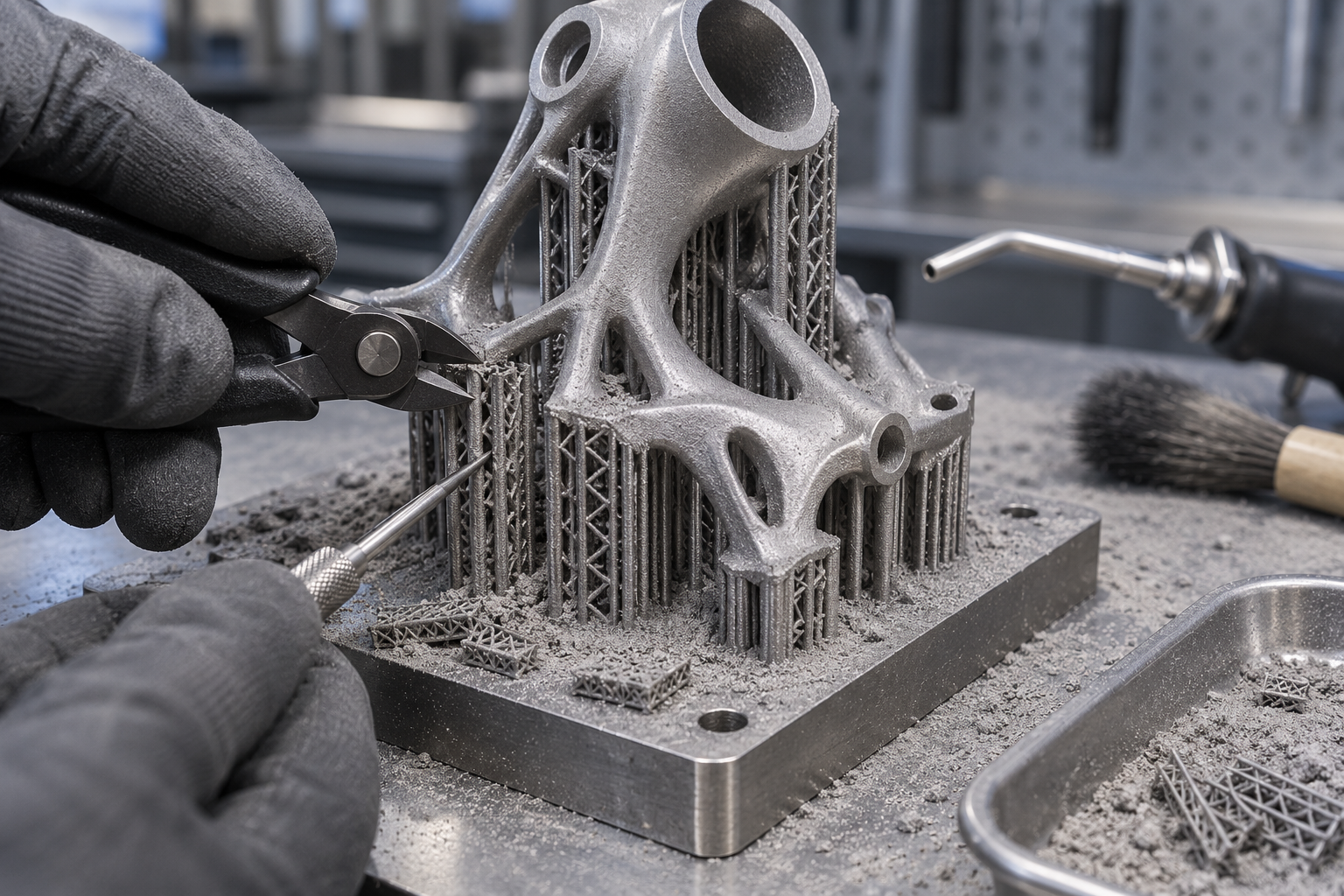
The end of printing does not mean the part is usable. First, wait for the powder bed and part to cool—the freshly printed part is very hot, and taking it out directly can cause burns, while residual stress has not yet been fully released. After cooling, remove it from the powder bed and use a brush, air gun, or dedicated powder cleaning station to thoroughly clean residual powder from the surface and internal channels. Failure to clean internal channels thoroughly is a common hidden risk; residual powder may fall off during subsequent use. Then remove the support structures, a step that often requires manual fitter work, and the joints where supports meet the part will leave bumps. Incomplete powder cleaning or excessive force during support removal can both deform thin-walled parts.
Step 6: Heat treatment to relieve residual stress
In the process of metal melting and solidifying layer by layer, each layer undergoes rapid heating and cooling, and considerable residual stress accumulates internally. If used directly without heat treatment, the part may crack or warp on its own during storage or machining. Therefore, most metal 3D printed parts require stress-relief annealing, and some with higher requirements also undergo hot isostatic pressing to further improve density. Heat treatment temperature and time depend on the material; this step is an "invisible but critical" operation.
Step 7: Surface treatment and inspection
The printed surface usually has a slight grainy feel and stair-stepping, and is often not sufficient as a mating surface directly. It needs sandblasting, polishing, electrochemical treatment, or leaving allowance on mating surfaces for separate machining. Finally comes inspection: dimensions are compared using a coordinate measuring machine or 3D scanning, and internal defects are checked using nondestructive testing methods. If this step is done wrong—using the printed surface directly as a precision-machined surface—you will find during assembly that it will not fit. To learn how such printed parts are subsequently dimensionally compared, you can refer to 3D scanning capabilities.
Only after all seven steps are completed is a metal part truly usable. Looking back, the answer to the question of how metal 3D printing works is actually hidden in the constantly repeated action of "spread powder—melt—lower a layer"; and the steps of modeling, slicing, post-processing, and inspection determine whether this part can be used and whether it is good to use.
Comparison of mainstream metal 3D printing technologies: SLM, EBM, binder jetting, and metal extrusion
Even though they are all metal 3D printing, the machines look very different. Why? Because they use different energy sources, and the ways they "bond" powder into one piece are also different. Grasp these two axes, and you can basically divide the machines on the market into four categories.
Powder bed fusion: What do SLM/DMLS and EBM rely on to melt metal?
SLM (Selective Laser Melting, also often called DMLS, Direct Metal Laser Sintering) is currently the workhorse for precision metal parts. Its action is very direct: a laser precisely focuses on a single point on the powder bed, and the metal powder at that point rapidly and completely melts, forming a tiny melt pool; after the melt pool cools and solidifies, the new material bonds firmly with the previous layer. The entire process runs under an inert atmosphere of argon or nitrogen, and requires no glue or liquid binder. Because the powder is completely melted rather than "glued" together, the parts have high density and relatively good surfaces, making them suitable for geometries that are difficult with traditional processes, such as thin walls, internal channels, and lattice structures.
But it also has boundaries: scanning proceeds point by point, so printing a solid block the size of a palm will be very slow; thermal stress concentrates near the melt pool, and warping and cracking are frequent visitors; powder can be recycled but requires sieving, and consumption management is not easy.
EBM (Electron Beam Melting) switches to a different energy source—an electron beam—and must operate in a vacuum. The vacuum avoids gas interference with the melt pool, the electron beam has high power and fast scanning speed, and during printing the entire powder bed can be preheated to a relatively high temperature, so the temperature gradient around the melt pool is gentler, residual stress is usually lower than in the laser route, and the tendency to deform is somewhat smaller. The trade-off is a rougher surface, with powder particles easily partially adhering to the surface, often requiring subsequent machining or sandblasting to clean up.
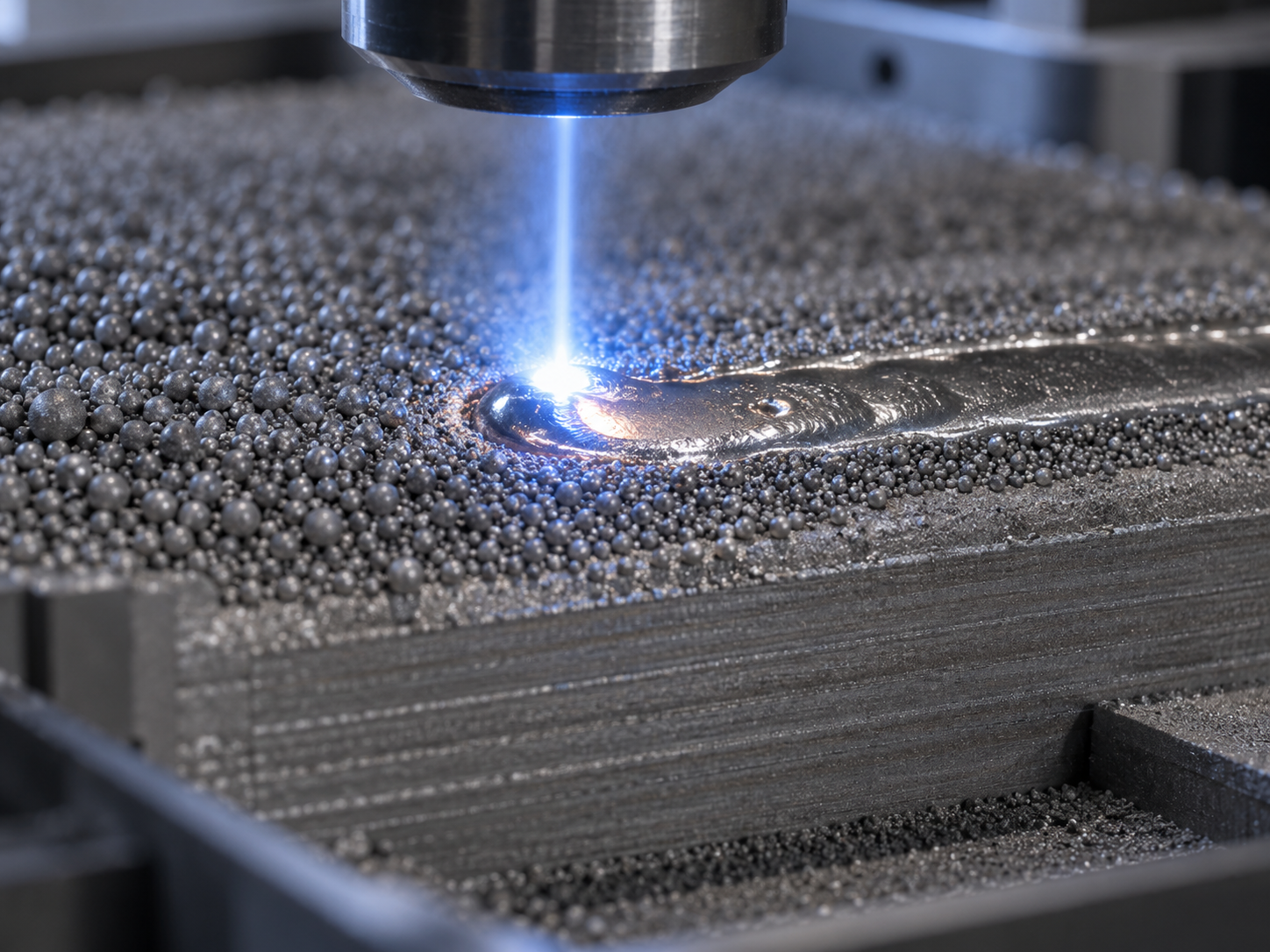
Binder jetting: first "glue" into a green body, then sinter in a furnace
Binder jetting takes a completely different approach. It does not melt metal; instead, a printhead jets liquid binder onto the powder bed according to the cross-section pattern, gluing the metal powder into a green body, stacking up a "green part" layer by layer, then debinding and sintering as a whole, allowing the binder to volatilize and metallurgical bonds to form between the metal particles.
The advantage of this route is speed—the printhead can cover a very large area at once, unrestricted by the speed of point-by-point laser scanning, making it suitable for small-to-medium batches of parts with relatively regular structures. But it is very sensitive to the sintering process: parts shrink overall in the sintering furnace, and the shrinkage rate needs to be compensated in advance in the CAD model; if the furnace temperature curve is not well controlled, both density and dimensions will suffer. So whether the final performance of binder-jetted parts can reach forged levels depends largely on the sintering step, not just the printing step.
Metal extrusion: printing "green parts" like FDM, with 15–20% shrinkage being the norm
Metal extrusion mixes metal powder with a polymer or wax binder and draws it into filament, extruding it in a manner similar to FDM. The printed part is called a "green part"—it has shape, but it is not yet a metal part, because the metal particles are held together only by binder. Next comes debinding (driving off most of the binder) and sintering (growing the metal particles together).
The most counterintuitive point of this route is: during sintering the part shrinks in all three directions, with typical shrinkage of about 15–20%. That is, if you want a 100 mm part, the CAD model must be scaled up in advance to about 118–125 mm. The scaling factor is not decided on a whim; it must be verified based on the material supplier's sintering curve and trial prints. Metal extrusion has a relatively low equipment threshold and flexible material changes, but density and mechanical properties are usually inferior to powder bed fusion, making it suitable for prototypes, fixtures, and non-critical structural parts, and not very suitable for directly replacing load-bearing forgings.
There is no absolute "best" among the four routes, only "whether it fits." When selecting, ask three questions first: does the part need density and precision, or speed and cost? How high is the geometric complexity? Does it ultimately need to bear loads or withstand high temperatures? Once these three questions are answered, the route is basically clear.
What materials are used for metal 3D printing? How to choose between titanium alloy, stainless steel, and aluminum alloy
When it comes to metal 3D printing, the material hurdle cannot be avoided. But the selection logic is not "memorize the grades"; it is the reverse: first say what performance you lack, then work backward to the material family. The metals usable in metal 3D printing are really just a few major families—titanium, stainless steel, aluminum, cobalt-chrome, nickel-based—and the difference is that each has its own "temperament": some print well, some are hard to handle, and some only perform after heat treatment.
Titanium alloys: light, strong, expensive, used where "every gram counts"
The core selling point of titanium alloys is high specific strength—much lighter than steel at the same strength—plus corrosion resistance and good biocompatibility, so they are common in aerospace structural parts, medical implants, and high-end bicycle parts. Metal 3D printing can precisely create lattice weight-reduction structures that traditional forging cannot, so the two pair naturally.
Note that titanium powder is highly reactive and expensive, printing must be carried out under an inert atmosphere, and thermal stress is also high, making warping easy. Beginners are generally not advised to start with titanium alloys; both cost and learning curve are steep.
Stainless steel: corrosion-resistant, mature process, the safest starting point for beginners
If you are trying metal 3D printing for the first time, stainless steel is usually the lowest-risk choice. The reasons are practical: the powder system is mature, the printing window is wide, post-processing (support removal, heat treatment, machining) is fully supported, and corrosion resistance is sufficient for everyday use. Grades like 316L have both strength and toughness, making them suitable for functional prototypes, fixtures, and small-batch structural parts.
Its limitations are also straightforward—high density and high specific gravity, so it has no advantage in lightweight applications; medium hardness, so heavily loaded wear-resistant parts need other materials. But for the vast majority of entry-level projects, stainless steel lets you first run through the entire chain of "printing—post-processing—inspection" before talking about upgrades.
Aluminum alloys: the lure of lightweighting, and its printing difficulty
The appeal of aluminum alloys lies in being light, good at conducting heat, and relatively controllable in cost, and they are widely used in automotive, drone, and heat-dissipation structural parts. But in metal 3D printing they are considered a "troublesome" category: aluminum powder is highly reactive and easily oxidized, has high laser reflectivity and low energy absorption efficiency, and the risk of porosity and lack-of-fusion defects is greater than with stainless steel.
In addition, the dust explosion risk of aluminum powder must be treated separately for safety (covered in detail in the safety section later). If you want to print aluminum parts, it is best to work with an experienced service provider, and do not use it as your first experiment.
Cobalt-chrome alloys and nickel-based superalloys: born for hardness and high temperatures
These two categories are "professional-demand-driven" materials. Cobalt-chrome alloy is hard, wear-resistant, and corrosion-resistant, and is common in dentistry (crowns, frameworks) and wear parts; nickel-based superalloys can still maintain strength at high temperatures and are used for hot-end components and turbine-related parts. What they have in common: expensive, narrow process window, and high post-processing requirements, and they are usually not options beginners would touch.

When choosing a material, there are three questions worth asking yourself first: ① What is this part most afraid of (afraid of weight? afraid of rust? afraid of heat? afraid of wear?); ② Can the printed surface be used directly as a working surface (in most cases it cannot, and machining allowance must be left); ③ Can I get matching post-processing for this material (for example, titanium alloys often require vacuum heat treatment, which not every shop has). Once these three questions are answered, the material range usually narrows to one or two. The remaining verification is left to a small-size trial print and actual measurement—this is more reliable than any parameter table.
How fine can metal 3D printing print? Typical precision, minimum features, and size boundaries
"How fine can it print?" is the first question many people ask when they first encounter metal 3D printing. But precision can never be summed up by a single number—it breaks down into at least four dimensions: layer thickness determines Z-direction detail and surface roughness, minimum feature size determines how thin and small a structure you can draw, tolerance determines whether it fits or not, and printable size determines whether the machine can actually fit your part. Only by breaking it down can you judge whether a design is actually suitable for metal 3D printing.
Layer thickness: the first watershed for surface quality
For powder bed fusion processes (SLM/DMLS), layer thickness is commonly in the 20–100 micron range in the industry. The smaller the number, the finer the Z-direction steps, and the closer the surface is to a "sandpaper feel" rather than a "granular feel"; but halving the layer thickness roughly doubles the printing time, and cost follows. More critically, layer thickness directly affects parts with curved or sloped surfaces—the same CAD model printed at 50 microns and 20 microns feels like two completely different textures to the touch. So choosing layer thickness is not "the thinner the better," but finding a balance among appearance requirements, mating-surface roughness, and printing time. If you only care about the finish of a certain mating surface, rather than reducing layer thickness globally, it is better to leave allowance on those surfaces and finish them by CNC after printing.
Minimum feature size and tolerance: the invisible red line on the design side
On the SLM/DMLS route, the minimum feature size is often recommended to be no less than 1 mm in the industry. Thinner pillars, thinner walls, and narrower slots than this are not completely unprintable, but yield and consistency will deteriorate noticeably—powder may not hold, the melt pool may collapse, and supports may not be cleanly removed. So when you see "0.3 mm thin wall," do not jump to conclusions; ask: what function does this feature serve in the part? If it is only decorative texture, it can be relaxed appropriately; if it is a critical dimension of an elastic structure, it needs to be evaluated together with the process side.
As for tolerance, metal 3D printing is often expressed as a percentage, typically on the order of ±0.1%, but for a specific part it is affected by multiple factors such as build orientation, support position, heat treatment deformation, and material shrinkage. For a new design's first trial print, dimensional tolerance is generally not promised—this is not a capability issue, but rather that the physical process from model to solid inherently has variables. The prudent approach is: first leave machining allowance on functional surfaces, then after printing perform CNC finishing on critical mating surfaces, placing tolerance responsibility on a controllable process.

Size boundaries: how much difference between desktop and industrial levels
There is no unified answer for printable size, because equipment spans too widely. The build size of desktop or small-to-medium metal machines is typically on the order of 100–300 mm; industrial equipment can be larger, but it is not unlimited—the larger the part, the more obvious the accumulation of thermal stress, the higher the risk of warping and cracking, and often more conservative support strategies and longer printing times are required. So when encountering large parts, the common approach is not to force-print one whole piece, but to print in separate pieces and then assemble them by welding or machining fit. If your part size approaches the equipment limit, it is advisable to confirm the orientation and part-splitting plan with the process side in advance, rather than discovering after uploading the model that it does not fit.
Design-side constraints: often determine success or failure earlier than equipment parameters
Compared with the parameters on the equipment nameplate, the following design-side constraints are more worth checking first:
- Surface roughness: as-printed surfaces usually cannot directly serve as sealing surfaces or sliding fit surfaces, and allowance must be left for machining;
- Overhang angle: generally overhangs exceeding about 45 degrees require supports, otherwise they tend to collapse or form dross, and the more supports there are, the greater the workload of removal and surface treatment;
- Minimum internal channel diameter: the finer the channel, the harder it is to clear powder, and residual powder is a hidden risk in subsequent use, so powder-clearing channels and outlets must be considered in the design;
- Build orientation: changing the orientation of the same model changes the amount of support, surface quality, and deformation risk, and this step must be decided at the slicing stage.
Only by looking at these constraints together with the earlier layer thickness, minimum features, and tolerance can you answer "whether this part is actually suitable for metal 3D printing." The numbers above are judgment anchors, not promised values—the final result is subject to drawing requirements, material system, and actual trial print confirmation. To first verify the feasibility of a specific part, you can start by uploading the drawing and confirming critical dimensions and functional surfaces.
Is It Over Once It's Printed? Why Post-Processing and Inspection Can't Be Skipped
Many people's impression of metal 3D printing stops at "the laser finishes scanning, and the part comes out." In reality, the thing you take out of the machine can only be considered a semi-finished product: it's still attached to a pile of supports, there may be uncleaned metal powder hidden in internal channels, the surface is rough enough to scrape your hand, and internal residual stress hasn't been relieved yet. To turn it into a part that can be installed and used, not a single step in the post-processing chain can be skipped.
Support Removal and Powder Cleaning: Residual Powder in Internal Channels Is a Common Hidden Hazard
Supports are structures used during printing to hold up overhangs and conduct heat. After removing the part, they need to be taken off with pliers, a wire saw, or even machining, and the contact surfaces often leave a layer of burrs. More troublesome than support removal is powder cleaning: during powder bed fusion processes, unmelted powder fills the part's internal cavities and channels. The exterior can be cleaned by blowing and vibration, but slender, curved internal channels often retain residue. This residual powder may sinter into hard chunks during subsequent heat treatment, becoming abrasive particles once installed in equipment. At the design stage, you should ask: can powder-cleaning tools even reach this internal channel?
Heat Treatment and Mating Surface Machining: As-Printed Surfaces Usually Can't Serve Directly as Assembly Datums
Layer-by-layer laser melting is a process of rapid heating and rapid cooling, and residual stress accumulates inside the part. If left untreated, it can easily deform or even crack when supports are cut or during subsequent machining. A common approach is stress-relief annealing; for applications requiring higher density and fatigue performance, hot isostatic pressing (HIP) may be considered. Whether to do it and how to do it depends on the material and operating conditions.
Here's the pitfall beginners fall into most often: using the as-printed surface directly as a finished surface. The surface roughness of as-printed surfaces is usually much higher than that of machined surfaces, and dimensions carry layer-thickness steps and thermal shrinkage deviations. Any mating surface, locating surface, sealing surface, or threaded hole generally needs to be left with allowance and then precision-machined on a CNC. In other words, metal 3D printing and CNC machining are often two consecutive steps in the same process chain, not an either-or choice.
Surface Treatment and Inspection: Dimensions Compared via CMM or 3D Scanning, Internals Rely on Non-Destructive Testing
Surface treatment is chosen according to requirements: sandblasting to deburr and even out appearance, polishing to reduce roughness, electrochemical or electrolytic polishing for complex internal cavities. Whether to do it depends on the surface roughness callouts on the drawing and the actual function, not on "making it look a bit nicer."
Inspection has two levels: external dimensions are compared against CAD using a coordinate measuring machine or 3D scanning point clouds, which visually shows where tolerances are exceeded; internal defects such as porosity and lack of fusion can't be seen by eye and require non-destructive methods like industrial CT or ultrasound. It's worth noting that tolerances for metal 3D printed parts are often expressed as percentages, and first-time prototyping of a new design usually doesn't guarantee dimensional compliance—the first article should be treated more as a validation piece, and volume production discussed only after measurement. Matters like hot isostatic pressing, machining allowance, and inspection methods are best aligned with the process provider before placing an order, rather than discovering the part won't fit after receiving it.
Beginner Safety Guide: Risks and Protection for Metal Powder, Lasers, and Inert Gases
Metal 3D printing looks clean—no cutting fluid, no flying chips, and the machine runs by itself once the door is closed. But inside the equipment, several not-so-obvious hazards exist at the same time: combustible fine powder, invisible high-power lasers, inert gases that displace oxygen, and parts that are still hot right after printing. Beginners tend to focus entirely on parameters and models and overlook these. Below, we break it down as "risk → why → what to do."
Metal Powder: Inhalation Risk and Dust Explosion Risk
The powder used in metal 3D printing typically has a particle size on the order of ten to several tens of microns, finer than flour. Fine powder poses two problems. First, inhalation hazard: long-term inhalation of titanium powder, aluminum powder, and nickel-based alloy powder is harmful to the respiratory tract and lungs, and it's most easily kicked up during powder cleaning, sieving, and recovery. Second, dust explosion: reactive metals like aluminum powder and titanium powder can deflagrate when they reach a certain concentration in air and encounter a static spark or open flame—the energy of a dust explosion is often far greater than that of a solid block of the same metal.
The countermeasures come as a set, not just wearing a mask: do powder cleaning and sieving in a fume hood or glovebox with HEPA filtration; ground powder containers and use anti-static measures for operators to avoid static buildup; store aluminum and titanium powders under inert gas or explosion-proof conditions; prohibit open flames and spark-generating operations in the work area; and don't just dump waste powder in the trash—handle it according to the supplier's recovery process.
Lasers: Class 4 Radiation Can't Be Solved by "Not Looking Directly"
The lasers used in SLM/DMLS are Class 4; both direct and scattered beams can damage eyes and skin, and the infrared wavelength is invisible. A common misconception is that "as long as I don't stare at it, it's fine"—reflected light is equally risky. Qualified powder bed machines have interlocked protective enclosures that shut off the laser when the door opens; what really needs guarding against is bypassing interlocks, manually debugging with the enclosure open, and using ordinary sunglasses instead of laser goggles for the corresponding wavelength. When maintaining the optical path, follow the equipment manual's shutdown and power-off procedures, not experience.
Inert Gases: The Real Asphyxiation Risk Is That They Have "No Smell"
The build chamber is filled with argon or nitrogen, and oxygen content must be pressed very low to prevent metal oxidation. The problem is that people can't feel a gas leak—no smell, no color, just a bit of drowsiness. In a small enclosed room, an argon leak can quietly lower oxygen content to dangerous levels. Countermeasures: secure gas cylinders and inspect lines, install oxygen monitoring and alarms in the room, ensure ventilation, and don't stuff metal 3D printing equipment into a storage room with no air exchange.
Part Removal and Powder Cleaning: High Temperatures and Residual Powder
The build plate and parts are still quite hot right after printing; grabbing them directly with ordinary gloves can cause burns, so wait for cooling or use tools per procedure. When cleaning residual powder from internal channels, unmelted powder can still become airborne—don't blow it toward your face. This step also affects part quality—powder not cleaned out of channels may fall out after installation in equipment.
If you're only on the design side and need metal 3D printed parts, these risks are mainly borne by a processing provider with protective capabilities, but understanding them helps you judge whether the other party is professional—ask "how do you store aluminum powder, and does powder cleaning have HEPA," and you can basically tell their level. If you want to start with easy-to-machine stainless steel material and small parts, you can check the available range on the 3D printing capabilities page, then submit requirements via AI Chat Quote.
Common Issues in Metal 3D Printing: How to Solve Cracking, Roughness, and Dimensional Deviation
We've walked through the chain of process, technology, materials, precision, post-processing, and safety, but when actually getting hands-on, what beginners hit first is often not "which machine to choose," but several recurring old problems: parts come out cracked, surfaces feel like sandpaper, and hole positions don't line up during assembly. These problems look scattered, but most of them have their seeds planted at the slicing stage. Below, we break down four high-frequency issues as "symptom → possible cause → direction for handling."
Cracking and Warping: Residual Stress "Keeps Accounts" Inside the Part
Every layer in metal 3D printing is "melting—rapid solidification." Thermal expansion and contraction are constrained by the surrounding cold metal, so stress remains in the part. Thin-walled long strips, large flat plates, and sharp-corner transitions are most prone to cracking or edge lifting. There are three directions for handling: first, adjust the build orientation so long edges follow the scan direction as much as possible and avoid abrupt large cross-section changes; second, optimize the scanning strategy (island scanning, checkerboard scanning, remelting) to spread heat out; third, add sufficient supports, especially at overhangs and thin-wall roots—supports don't just "hold up," they also help conduct heat away from the part. Doing stress-relief heat treatment promptly after printing is more effective than remedying afterward.
Surface Roughness: Three Things—Layer Thickness, Powder Particle Size, and Overhang Angle
The surface roughness of metal 3D printing mainly comes from the "stair-step effect"—steps between layers and adhesion of incompletely melted powder particles. The larger the layer thickness, the more obvious the steps; the coarser the powder particle size, the heavier the powder adhesion; the closer the overhang angle is to horizontal, the rougher the lower surface. To improve it, you can reduce layer thickness during slicing (at the cost of longer time), adjust orientation so critical surfaces face up or are vertical, add supports to overhangs, or simply leave allowance on mating surfaces and machine after printing. A common industry practice is: as-printed surfaces can be acceptable directly as appearance surfaces, but assembly datum surfaces usually need further machining.
Dimensional Deviation and Porosity: Shrinkage Compensation and Energy Density
Dimensional deviation usually comes from three places: material cooling shrinkage, anisotropy caused by different build orientations, and deformation during heat treatment. Slicing software generally allows input of shrinkage compensation coefficients, but shrinkage differs across materials and geometries, so first-time prototyping of a new design is rarely right the first time; it's advisable to leave machining allowance. Porosity and lack of fusion are mostly related to insufficient energy density, excessive scan speed, and elevated oxygen content in the atmosphere—manifesting as internal voids and insufficient density. These problems often require cutting the part open or non-destructive testing to detect, so critical load-bearing parts can't be judged by appearance alone.
Why do metal 3D printed parts tend to crack?
Mainly due to residual stress left by layer-by-layer melting and rapid solidification, released in concentrated form at thin walls, large flat plates, and sharp corners. Common countermeasures are adjusting build orientation, optimizing scanning strategy, adding sufficient supports, and promptly performing stress-relief heat treatment after printing. Whether it can be avoided specifically depends on part geometry and material; it's advisable to confirm with the process provider before prototyping.
Can the surface roughness of metal 3D printing be used directly as an assembly surface?
Generally not recommended. The printed surface has a stair-step effect and adhered powder, and the roughness often fails to meet fit requirements. A common industry practice is to leave machining allowance on mating surfaces, then finish them by CNC after printing to drawing tolerances. If it is only a cosmetic surface or non-mating surface, sandblasting and polishing after printing are usually acceptable.
Why don't the dimensions of metal 3D printing match the model?
Common causes include material shrinkage during cooling, anisotropy caused by build orientation, and heat treatment deformation. Slicing software can input shrinkage compensation, but the shrinkage amount differs across materials and geometries, and the first prototype of a new design generally cannot guarantee tolerances. The reliable approach is to leave allowance on critical dimensions, measure after printing, and then decide whether machining is needed.
What should be done if there is porosity inside metal 3D printing?
Porosity and lack of fusion are mostly related to insufficient energy density, excessively fast scanning speed, and high oxygen content in the atmosphere. Such defects cannot be seen from the appearance, and critical parts usually require non-destructive testing. The direction for improvement is to adjust the matching of laser power and scanning speed, strengthen atmosphere control, and if necessary use hot isostatic pressing to increase density. Specific parameters need to be confirmed according to material and equipment.
Can these problems in metal 3D printing be avoided at the slicing stage?
A considerable portion can. Build orientation, support design, scanning strategy, and shrinkage compensation are all determined at the slicing stage and directly affect stress distribution, surface quality, and dimensional accuracy. Considering the part as "design + process" together is more cost-effective than reworking after printing. For complex parts, it is recommended to first do small-size trial printing to validate the process.
Key takeaways
- Metal 3D printing belongs to additive manufacturing; its core is layer-by-layer buildup (spread powder—melt—spread powder again), rather than cutting away excess material from a solid block of metal.
- There are four mainstream routes: powder bed laser fusion (SLM/DMLS), electron beam melting (EBM), binder jetting, and metal extrusion (printing followed by debinding and sintering). The first two are "melting," while the latter two are "forming + sintering."
- "How to print" is a complete chain: 3D modeling → adding supports and orientation → slicing → layer-by-layer printing → support removal and heat treatment → surface treatment → dimensional and internal defect inspection. Skipping any step will show up in the finished part.
- Typical precision should be treated as a "judgment anchor" rather than a promise: layer thickness is often on the order of 20–100 microns, the minimum feature size for SLM is often recommended in the industry to be no less than 1 mm, sintering shrinkage in the metal extrusion route is typically 15–20%, and first-time prototyping for a new design usually does not guarantee tolerances.
- Safety is a required introductory course: metal powder inhalation and dust explosions, Class 4 laser radiation, inert gas asphyxiation, and high-temperature burns—these four types of risk each have corresponding protective actions.