What Are the Symptoms of Cutting Vibration? From Surface Ripples and Abnormal Noise to Dimensional Drift
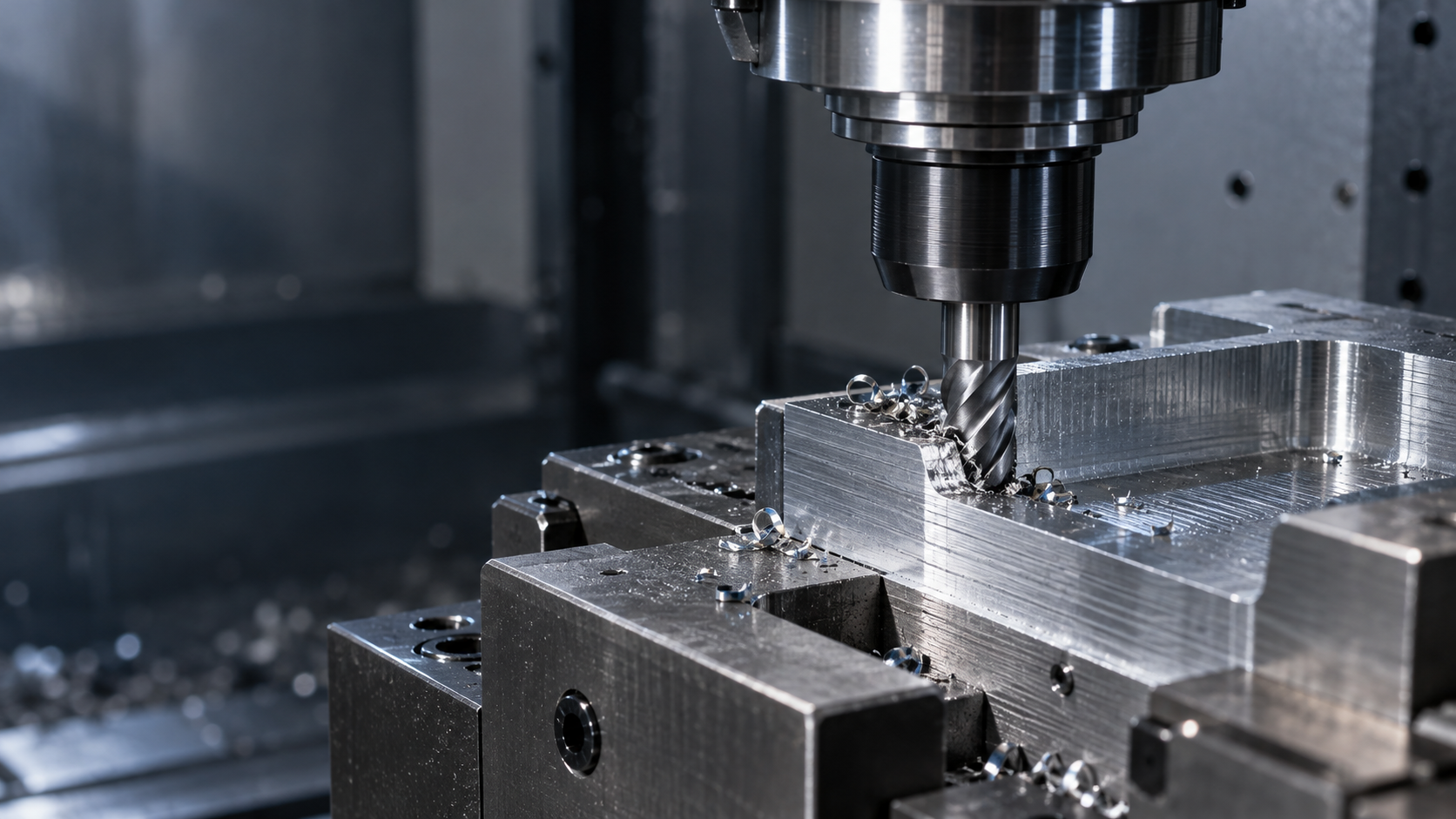
When cutting vibration occurs on the shop floor, it usually does not produce just one signal: periodic ripples are left on the surface, the tool emits a sharp squeal, tool marks gradually deepen, and dimensions may drift during continuous machining. The “focusing problem” referred to here means concentrating on locating and addressing the root cause of the vibration, not an optical focal-point shift in laser processing. These are different processes and should not be conflated.
Do not treat “reducing the spindle speed” as a universal solution to cutting vibration. Under the same program, ripples may be caused by excessive tool overhang, unstable workpiece clamping, tool wear, an incorrect tool-tip height, or changes in machine condition. First record the symptoms, then establish a decision path based on “defect symptom—priority check—first action—verification method.”
| Symptom | Priority Check | First Action | Verification Method |
|---|---|---|---|
| Periodic ripples or repeated tool marks | Tool overhang, workpiece stickout, fixture contact surfaces | First shorten the overhang or add support, and confirm that the workholding is not unevenly loaded | Perform a short-distance test cut and compare the waviness spacing and surface texture |
| Sharp squealing, with the sound changing as the tool enters the cut | Tool geometry, tool holder clamping, and cutting load | Check whether the tool is loose or worn, then try reducing the load | Keep all other variables unchanged and compare the sound with the tool tip condition |
| Dimensions gradually drift during continuous machining | Tool wear, part temperature, and machine tool and measurement conditions | Confirm the tool cutting edge and measurement datum, then remeasure after the temperature has stabilized | Compare the dimensional data from the first part, continuous production parts, and parts measured after cooling |
The focus of the initial assessment is to first confirm whether the system is stable, then address the tool condition, and only afterward adjust the cutting parameters. If structural flexibility has not been ruled out, simply changing the spindle speed, feed rate, or depth of cut often only changes the sound temporarily without eliminating the root cause. Every change should be accompanied by a short-distance test cut, surface inspection, and dimensional measurement.
First resolve the cutting vibration by improving system rigidity: check the tool overhang, tool holder, and workpiece clamping
Troubleshooting cutting vibration should begin with system rigidity, rather than immediately reducing the spindle speed. The tool, tool holder, workpiece, fixture, and machine tool together form a load-bearing system; if any one component is too flexible, it will deflect under cutting forces and amplify periodic vibration in the surface and dimensions.
Shorten the tool overhang first, then adjust the cutting parameters
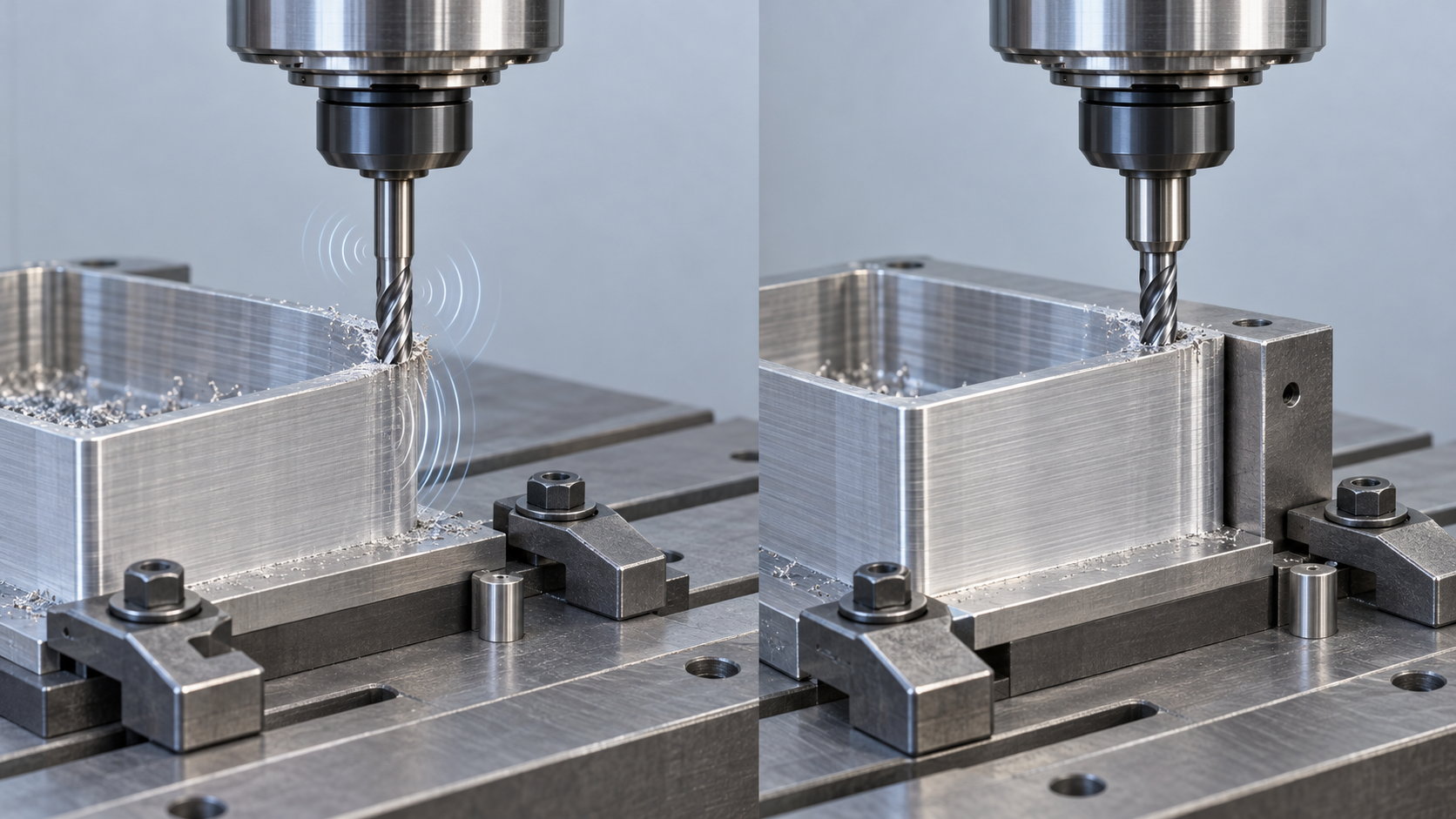
First check the tool's effective projection length, tool diameter, and tool holder clamping condition. When machining deep cavities, if conditions permit, shorten the overhang, increase the tool diameter, or use a tapered or modular tool with higher rigidity to reduce tool deflection. Check that the tool holder taper, collet, or shrink-fit clamping surfaces are clean, and confirm that the tool is not slipping, running out, or insufficiently clamped. After making a change, do not immediately alter the spindle speed and feed rate at the same time. Instead, perform a short-distance test cut and compare the squealing, waviness spacing, and tool runout; if the surface texture becomes noticeably more stable, structural rigidity is a highly likely root cause.
Reduce the workpiece projection length and confirm that the fixture has no uneven loading
Next, check the workpiece projection length, support locations, and clamping contact surfaces. In turning, minimize the workpiece overhang and use a tailstock or auxiliary support when conditions permit. In milling, confirm that the bottom and side surfaces of the workpiece are fully seated and that the clamping force is not deforming thin-walled parts. Uneven fixture loading, too few support points, or clamping plates positioned over weak areas can all cause the part to spring or vibrate during cutting. Thin-walled parts also require appropriate support and staged stock removal; simply increasing the clamping force is not sufficient.
Repeated repositioning can also change the load path and datum stability. If the same program produces different waviness after different setups, first recheck the locating surfaces, clamping sequence, and fixture repeatability rather than directly modifying the spindle speed. After adjusting the setup, perform a comparative test cut using the same tool and parameters, measure the dimensions in the machined area, and observe whether the texture changes from continuous waviness to uniform tool marks. Only after confirming system stability should you proceed to adjust the tool geometry and cutting parameters.
How to reduce cutting vibration through tool geometry: positive rake angle, tool tip radius, and center height
Tool geometry directly changes the direction and magnitude of cutting forces. If the workholding and tool overhang are already stable but chatter, periodic waviness, or tool deflection still occurs, the insert chipbreaker geometry, nose radius, and tool center height can be included in the next round of checks. These adjustments should be evaluated through controlled test cuts rather than by assuming that one geometry is suitable for all materials and operations.
Reduce cutting loads with positive geometry and sharp cutting edges
When material strength, cutting-edge strength, and chip evacuation conditions permit, compare the current insert with a sharper positive-geometry chipbreaker. Positive geometry generally helps reduce entry resistance and passive cutting forces, thereby reducing cutting vibration caused by tool deflection. During the test cut, change only the insert; keep the spindle speed, feed, depth of cut, and workholding method unchanged, then compare the sound, surface texture, and cutting-edge condition.
However, a sharper cutting edge does not necessarily provide greater impact resistance. During interrupted cutting, when hard inclusions are present, or when fixture rigidity is insufficient, an excessively sharp edge may chip. If edge chipping, increased burrs, or uncontrolled chip breaking occurs, reassess the material, insert strength, and cutting direction rather than continuing to increase edge sharpness.
Check the effects of nose radius and tool center height on cutting vibration
In turning, try a smaller nose radius to reduce passive cutting forces and tool deflection. The nose radius generally should not be larger than the effective depth of cut; otherwise, the nose radius may exert greater compressive action on the material and actually increase the cutting load. This relationship must still be verified in combination with the material, depth of cut, and surface requirements; a fixed radius should not be treated as a universal answer.
Also confirm that the tool tip is at the correct center height. A deviation in center height changes the actual cutting angle, force direction, and chip-breaking behavior, resulting in unstable surface quality. The insert top angle can also be used as a test variable; a smaller top angle can sometimes balance free-cutting performance and cutting-edge strength, but it should be compared progressively according to the cutting direction, workpiece support, and material. Change only one primary variable at a time. After a short-distance test cut, use surface waviness, dimensions, and tool wear together to confirm whether cutting vibration has actually decreased.
Cutting vibration in turning, milling, and drilling: select the first adjustment according to the operation
Cutting vibration in turning, milling, and drilling may look similar on the surface, but the root causes differ. First-round adjustments should focus on effective tool length, workpiece support, and the cutting engagement method rather than directly applying a fixed set of spindle-speed or feed parameters.
Turning vibration: first check workpiece projection, nose radius, and center height
During turning, excessive workpiece projection or insufficient tailstock or auxiliary support often amplifies radial vibration. First shorten the projection and confirm that the clamping contact surfaces are not unevenly loaded; where conditions permit, add support, then check whether the tool tip is at the correct center height. An excessive nose radius may increase passive cutting forces; when permitted by the material, cutting-edge strength, and effective depth of cut, try an insert with a smaller radius or smaller top angle. For verification, machine only a short section and compare the waviness, sound, and outside-diameter dimensions.
Milling vibration: control tool overhang, fixture support, and entry method
In milling, first check tool overhang, toolholder clamping, and workpiece support. Shortening the effective length generally helps increase system rigidity; for thin-walled or deep-cavity parts, avoid allowing cutting forces to act directly on unsupported areas. If the toolpath causes intermittent impacts, check the entry and exit directions and whether the local stock changes abruptly, and use toolpath simulation to identify unstable sections in advance. The first test cut should keep the tool and fixture unchanged; adjust only one entry action or support method, then compare the surface texture and cutting edge.
Drilling vibration: shorten the drill and ensure chip evacuation
Drilling vibration is usually related to an excessively long drill or a mismatch between hole depth and chip evacuation conditions. When a shorter drill can complete the required hole depth, reduce the effective length; for deep holes, focus on chip evacuation, cooling, and retract strategies to prevent chips from clogging the hole and repeatedly rubbing against the hole wall. If burrs appear at the hole entrance, the hole diameter is unstable, or the drill produces intermittent abnormal noise, do not only reduce the spindle speed; also check clamping rigidity and drill wear. Use a short hole or first-hole test cut, and measure the hole diameter, cylindricity, and hole-wall texture to confirm whether the adjustment is effective.
How to adjust cutting parameters: change only one variable at a time and verify with a test cut
Before entering the parameter-adjustment stage of cutting-vibration troubleshooting, first confirm that there are no obvious problems with tool overhang, fixture support, toolholder clamping, or tool wear. Then record the current spindle speed, feed, depth of cut, tool condition, material batch, and the location where vibration occurs. Without baseline records, it is difficult to determine which change was responsible, even if the surface improves later.
Reduce the cutting load first, then compare spindle speed and feed
Do not treat reducing spindle speed as a universal solution to cutting vibration. Spindle speed, feed, and depth of cut interact with one another. Reducing speed alone may change the cutting condition without eliminating structural instability caused by thin-walled parts, long overhangs, or uneven fixture loading. In the first test, appropriately reduce the depth of cut or cutting load while leaving the other primary variables unchanged, and observe whether tool loading and surface waviness decrease. If vibration remains, compare small changes in spindle speed or feed separately.
Use short-distance test cuts to verify changes in cutting vibration
Change only one primary variable at a time and use short, repeatable test cuts. After each test cut, record four types of results: whether the sound from the spindle and tool changes from a sharp whine to a steady tone, whether the spacing and depth of the surface waviness change, whether critical dimensions remain stable, and whether the tool tip develops chipping, built-up edge, or abnormal wear. Do not rely solely on sound, because localized hard spots in the material, poor chip evacuation, and heat buildup can all temporarily change the sound.
- Record: Retain the parameters, tool condition, and material batch for every test cut.
- Compare: Inspect the surface texture and dimensions at the same measurement locations to avoid directly comparing different areas.
- Confirm: Once the parameters are stable, machine a longer path, then recheck the cutting edge and the dimensions of consecutive parts.
If the vibration decreases significantly after reducing the cutting load, the parameter window or system rigidity still needs optimization. If the sound improves but the dimensions continue to drift, check thermal stability, tool wear, and the measurement method instead. The goal of parameter adjustment is not to find a universal value, but to confirm a stable cutting condition for the current combination of material, tool, workholding, and machine tool through traceable test cuts.
Dimensional Errors Persist After Cutting Vibration Is Reduced: Rule Out Thermal Effects, Wear, Programming, and Calibration
If surface waviness and sharp abnormal noises have improved but dimensions still drift during continuous machining, do not continue attributing every issue to cutting vibration. Vibration may be only one of several symptoms; tool wear, part temperature, tool offset changes, program paths, or machine condition can produce similar results. At this stage, convert “vibration troubleshooting” into a verifiable, documented closed loop: make a change, perform a test cut, measure, record, and review.
Confirm Part Temperature Before Assessing Dimensional Drift
Metal parts expand as their temperature rises during cutting and contract again as they cool. If a part is measured immediately after machining, the resulting dimensions may not represent its stable condition. For parts whose surface quality has improved but whose dimensions continue to drift, repeat the measurement after the temperature has stabilized, using the same measurement datum, and compare the data from the first part, consecutive parts, and cooled parts. If the dimensions return within the tolerance band after thermal stabilization, the primary issue may be the measurement timing or thermal control rather than residual vibration.
Check Tool Wear, Tool Offsets, and the Program Path
If the dimensions gradually shift as the machining quantity increases, check whether the cutting edge is worn, whether the tool offset has been modified, and whether the tool has shifted in the holder. Tool wear changes the actual cutting dimensions and may also cause localized surface texture to deteriorate again. If the dimensions are stable overall but the surface texture is abnormal only in one section, review the program path, entry and exit movements, and local stock allowance to determine whether there is a repeated pass, path error, or sudden change in local cutting load.
Use First-Part Data to Recheck the Machine and Measurement Datum
When neither the tool nor the program shows any obvious abnormalities, recheck the machine calibration status, coordinate offsets, fixture datum, and measurement method. Do not rely solely on sound to determine whether cutting vibration has been resolved. It is recommended to retain the spindle speed, feed rate, depth of cut, tool condition, part temperature, measurement results, and surface photographs from before and after the change; alter only one main variable at a time, then confirm the result with a short-distance test cut. Only when the sound, texture, dimensions, and consecutive-part data all become stable can this round of vibration treatment be considered effective.
Frequently Asked Questions: How to Assess Cutting Vibration During On-Site Troubleshooting
Cutting vibration troubleshooting cannot be concluded based solely on sound or surface texture. The tool overhang, workpiece clamping, tool geometry, cutting parameters, material temperature, and measurement results should be verified one by one; change only one main variable at a time and confirm the result with a short-distance test cut.
Why Should You Not Simply Reduce the Spindle Speed First When Solving Cutting Vibration Problems?
Reducing the spindle speed can sometimes change an unstable cutting condition, but it is not a universal solution. Vibration may also be caused by excessive tool overhang, insufficient tool-holder clamping, excessive workpiece overhang, uneven fixture loading, or tool wear. First check the system rigidity and tool condition, then conduct small parameter test cuts based on the material, tool diameter, depth of cut, and machine rigidity.
How Can You Determine Whether Cutting Vibration Mainly Comes from the Tool or the Fixture?
Without changing any other conditions, first shorten the tool overhang or switch to a more rigid clamping method, then compare the changes in sound, surface waviness, and dimensions. Next, check the workpiece overhang, fixture contact surfaces, and support condition. If the vibration decreases significantly after changing the tool overhang, the tool system is more suspect; if the result improves after reclamping or adding support, focus on rechecking the fixture and workpiece rigidity.
Does a Smaller Nose Radius Always Make Cutting Vibration Easier to Resolve?
Not necessarily. A smaller nose radius may reduce passive cutting forces when conditions permit, but nose strength, material, depth of cut, chip evacuation, and clamping stability also affect the result. The nose radius should generally be tested in combination with the effective depth of cut; a smaller radius should not be treated as a fixed answer without considering the operation.
Why Do Part Dimensions Continue to Drift After Cutting Vibration Has Been Reduced?
Dimensional drift is not necessarily caused by vibration. After machining, changes in measurements may result from thermal expansion and contraction. Tool wear, tool offsets, the programmed tool path, the machine tool’s calibration status, and the measurement datum should also be checked. It is recommended to remeasure the part after its temperature has stabilized and compare the data from the first piece with that from continuous production pieces to distinguish thermal stability issues, wear-related issues, and the actual effects of vibration.
Key takeaways
- When troubleshooting cutting vibration, first check tool overhang, tool-holder clamping, workpiece stickout, and fixture support before adjusting the parameters.
- A positive rake, sharp cutting edge and smaller nose radius can be tested as ways to reduce cutting load, but they must be validated in combination with the material and workholding rigidity.
- The vibration-reduction priorities differ for turning, milling, and drilling, so one set of parameters or one checklist cannot be used for every operation.
- During parameter trial cuts, change only one major variable at a time, while recording changes in sound, surface texture, dimensions, and the tool cutting edge.
- Even after the vibration is reduced, thermal expansion and contraction, tool wear, incorrect toolpaths, and machine calibration issues must still be ruled out.